The Baker's Secret Weapon: Best Apps for Recipe Management

Welcome to BakeWithEase, your culinary companion in the delightful world of baking! Are you tired of scribbled notes and overflowing recipe books? Discover how to streamline your baking process and unlock your kitchen's full potential. In this article, we're revealing the baker's secret weapon: the best recipe management apps to organize your culinary creations and keep your favorite recipes at your fingertips. Could these apps be the missing ingredient in your baking success? Keep reading to find out!
- Introduction: Level Up Your Baking with Recipe Organizer Apps
- Top Recipe Management Apps for Home Bakers: A Comparative Review
- Choosing the Right Recipe App: A Baker's Buying Guide
- Maximizing Your Recipe Management App for Baking Success
- Conclusion: Unlock Your Baking Potential with the Best Recipe Management App
- Frequently Asked Questions
- Final Reflection: Unlocking Culinary Creativity Through Digital Organization
- Unlock Your Baking Potential: Organize & Conquer Your Recipes!
Introduction: Level Up Your Baking with Recipe Organizer Apps
Welcome to the digital kitchen! In today's fast-paced world, even the most dedicated bakers can feel overwhelmed by scattered recipes, misplaced notes, and ingredient lists scribbled on napkins. Imagine a world where every cherished family recipe, every exciting new find from your favorite baking blog (like BakeWithEase! ), and every meticulously planned baking project is perfectly organized and easily accessible. This isn't a dream – it's the reality offered by the best recipe management apps. These powerful tools are transforming how home bakers approach their craft, moving beyond the limitations of physical cookbooks and handwritten cards.
Adopting one of the best recipe management apps can fundamentally change your baking experience. From simplifying meal planning and grocery shopping to helping you scale recipes for different batch sizes, these digital companions offer a level of convenience and efficiency that traditional methods simply can't match. Whether you're a beginner just starting to explore the world of cookies and cakes or an experienced baker tackling complex bread recipes, finding the right recipe organizer app can be your secret weapon for consistent success and less kitchen stress.
Ditch the Messy Cookbooks: Why Use a Recipe Management App?
The charm of well-worn cookbooks is undeniable, but their practical limitations in a modern kitchen are significant. Flipping through dozens of pages to find one recipe, dealing with spills and sticky pages, and the sheer space they consume are common frustrations. A digital recipe manager app eliminates these issues, offering instant search capabilities, clean interfaces, and the ability to access your entire collection from anywhere – your phone, tablet, or computer. This accessibility is crucial when you're at the grocery store or trying a new technique at a friend's house.
Beyond simple storage, the best recipe management apps provide dynamic features that cookbooks cannot. Need to double a recipe? Many apps offer built-in scaling functions. Want to plan your baking for the week? Integrated meal planners make scheduling a breeze. Creating a shopping list? Apps can automatically generate one based on your selected recipes. This level of integration streamlines the entire process, from inspiration to the final delicious result, making baking more efficient and enjoyable.
BakeWithEase Recommends: Streamlining Your Baking Workflow
At BakeWithEase, we're all about making baking accessible and enjoyable for everyone. We know that a smooth workflow is key to successful baking, and that's where the best recipe management apps truly shine. We've explored many tools and found that the most effective ones integrate seamlessly into the typical baking process – from discovering a recipe online to organizing your pantry and executing the bake.
A great recipe organizer app, in our view, acts as the central hub for your baking life. It should allow you to easily capture recipes from various sources (including our own blog! ), organize them logically, help you plan your baking schedule, and simplify the task of gathering ingredients.
By leveraging the power of these digital tools, you spend less time searching and more time mixing, kneading, and decorating. We advocate for finding a solution that fits your specific needs, whether you're looking for a free option or are ready to invest in a feature-rich platform to truly streamline your baking journey.
Top Recipe Management Apps for Home Bakers: A Comparative Review

Choosing the best recipe management app can feel daunting with so many options available. To help you find the perfect fit for your baking style, we've reviewed some of the most popular and highly-regarded recipe organizer apps on the market. We'll dive into their key features, explore their strengths and weaknesses, and discuss their pricing models, focusing on how they cater specifically to the needs of home bakers.
Our goal is to provide you with a clear picture of what each app offers, allowing you to compare them based on functionality, ease of use, and value. Whether you prioritize robust web clipping, advanced meal planning, integrated grocery lists, or simply a clean and intuitive interface for storing your favorite BakeWithEase recipes, this review will help you identify the digital tool that can elevate your baking game. Let's explore the contenders for the title of the best recipe management app.
1. Paprika Recipe Manager: The All-in-One Baking Solution
Paprika Recipe Manager consistently ranks high among users seeking a comprehensive digital kitchen tool. It's designed to handle almost every aspect of the recipe management process, from saving recipes found online to creating detailed grocery lists and planning meals. Its strength lies in its robust feature set and its availability across multiple platforms, including iOS, Android, Windows, and macOS, allowing seamless synchronization of your recipe collection across all your devices.
The app is particularly well-regarded for its powerful web clipper, which is often cited as one of the most effective available. It intelligently pulls recipe information – ingredients, instructions, notes, serving sizes – directly from web pages, saving you significant time compared to manual entry. Furthermore, Paprika includes handy tools like timers that stay visible while you're cooking or baking, and the ability to scale ingredients within a recipe, a feature invaluable for bakers adjusting batch sizes.
Paprika Features for Bakers: Web Clipper, Meal Planning, and More
Paprika's web clipper is a standout feature for anyone who discovers recipes online. It works with a vast majority of websites, automatically identifying recipe components and formatting them cleanly within the app. This means you can save that perfect sourdough recipe from BakeWithEase or a complex pastry guide from another site with just a few taps or clicks, preserving all the details including photos (though we can't show them here!). This feature alone can save hours of tedious copying and pasting.
Beyond saving, Paprika helps you use your recipes effectively. The meal planning calendar allows you to drag and drop recipes onto specific dates, helping you schedule your baking projects for the week or month. Once recipes are planned, the app can generate a grocery list based on the ingredients needed for those recipes.
You can check off items as you shop and even add non-recipe items. Other useful features include smart scaling (adjusting ingredient quantities based on desired servings), nutritional information tracking (if available in the source or manually entered), and the ability to organize recipes with categories and tags.
Paprika Pros & Cons: Is It Worth the Investment?
One of Paprika's biggest pros is its feature completeness and reliability. Users praise its consistent performance and the effectiveness of its core tools, especially the web clipper and grocery list generator. The cross-platform sync is generally robust, ensuring your data is always up-to-date across devices. The one-time purchase model (per platform) is also seen as a significant advantage by many, avoiding ongoing subscription costs.
However, the primary con is that it's not a free app, and you have to purchase it separately for each operating system you want to use it on (e.g., buying it for iOS and Windows requires two separate purchases). While the cost is reasonable for a one-time fee (often around $5 for mobile, $20-30 for desktop), the cumulative cost if you use multiple platforms can add up. Some users also find the interface functional but perhaps less visually modern or inspiring compared to newer, more design-focused apps.
Paprika Pricing and Subscription Options
Paprika operates on a one-time purchase model per platform, rather than a subscription. As of late 2023/early 2024, the price is typically around $4.99 USD for the mobile versions (iOS and Android) and between $19.99 and $29.99 USD for the desktop versions (Windows and macOS). There is no ongoing monthly or annual fee for using the app or syncing your data.
This pricing structure means you pay upfront for the version(s) you need and own the app without recurring costs. Updates are generally included within the version you purchased (e.g., Paprika 3 updates are free), though major version upgrades (like from Paprika 3 to Paprika 4, if it were released) might require a new purchase. This model is popular among users who prefer to avoid subscriptions and want unlimited usage after the initial purchase.
2. Evernote Food (Deprecated, but Learnings): Lessons from a Pioneer
While no longer available, Evernote Food was an early attempt by the popular note-taking service Evernote to create a dedicated space for food-related content, including recipes. Launched in 2012 and discontinued in 2015, it offered features like saving recipes, finding restaurants, and journaling food experiences. Its brief existence provides valuable lessons on what users want (and don't want) in a recipe management app and highlights the challenges of maintaining a niche product within a larger ecosystem.
Evernote Food's approach was broader than just recipe storage; it aimed to be a comprehensive food diary. However, its recipe saving functionality, while integrated with the powerful Evernote platform, wasn't as specialized or robust as dedicated recipe management apps emerging at the time. The user experience for recipe management specifically often felt less intuitive compared to apps built solely for that purpose, ultimately contributing to its limited adoption and eventual shutdown.
Why Evernote Food Failed (and What Recipe Apps Learned)
Evernote Food's failure wasn't necessarily due to a lack of features, but perhaps a lack of focus and dedicated development compared to core Evernote. Users looking for the best recipe management apps often wanted powerful, purpose-built tools like effective web clipping, easy ingredient scaling, and integrated grocery lists – features where Evernote Food was less specialized than competitors. Its broader scope (including restaurant reviews and food photos) may have diluted its appeal for those whose primary need was efficient recipe organization.
The key takeaway for successful recipe organizer apps is the importance of focusing on core recipe management tasks and executing them exceptionally well. Features like seamless web saving, intelligent parsing of recipe data, flexible organization options (tags, categories), and practical tools for use while cooking (like timers or screen-staying options) are paramount. Modern apps learned that being a great recipe app is more important than being a general food app.
Alternatives for Evernote Food Users: Migrating Your Recipes
For former Evernote Food users, or anyone who used Evernote for recipe storage, migrating to a dedicated recipe management app is a common step. Many of the best recipe management apps reviewed here offer import features that can handle various formats, including notes exported from Evernote. While direct, one-click migration from the defunct Evernote Food app isn't possible, exporting recipes saved within standard Evernote notes and importing them into a new app is often feasible.
Apps like Paprika, Copy Me That, and Recipe Keeper provide options to import recipes from text files, popular recipe formats (like MealMaster or MasterCook), or even directly from websites if the original source is still available. Users typically need to consolidate their Evernote recipes into a single export file or copy/paste them into the new app's web clipper or manual entry form. While this might require some manual cleanup, transitioning to a purpose-built recipe organizer app generally results in a much more efficient and enjoyable experience for managing your baking collection.
3. Whisk: Smart Recipe Saving and Grocery Shopping Integration
Whisk, developed by Samsung NEXT, positions itself as a smart platform for food enthusiasts, combining recipe discovery, saving, and community features with powerful grocery planning tools. It leverages AI to understand recipe content and user preferences, aiming to provide a highly personalized experience. While it has social elements, its core functionality for recipe management and grocery integration makes it a strong contender for home bakers.
One of Whisk's key strengths is its seamless integration between recipes and grocery shopping. When you save or select recipes, Whisk automatically creates a shopping list, intelligently grouping items by category (produce, dairy, etc.) to make your trip to the store more efficient. It also offers recipe recommendations based on your saved recipes and cooking habits, potentially introducing you to new baking ideas.
Whisk's AI-Powered Recipe Management: A Game Changer?
Whisk utilizes artificial intelligence and machine learning to enhance its recipe management capabilities. When you save a recipe using its web clipper, the AI attempts to parse the ingredients, instructions, and other details accurately. This technology aims to improve the reliability of recipe saving across various website formats, potentially handling complex layouts better than less sophisticated tools.
Furthermore, Whisk's AI powers its recommendation engine. By analyzing the types of recipes you save and interact with, it suggests new recipes from its vast database or the web that you might enjoy. For bakers, this means potentially discovering new techniques, flavor combinations, or variations of classic recipes without extensive manual searching. This intelligent discovery aspect differentiates Whisk from simpler recipe organizer apps.
Whisk's Grocery List Feature: From Recipe to Shopping Cart
The integration between recipes and grocery lists is arguably Whisk's most praised feature. Once you've saved or planned recipes within the app, you can instantly generate a shopping list containing all the required ingredients. Whisk automatically aggregates ingredients from multiple recipes and attempts to identify duplicates, presenting a consolidated list.
The generated list is organized by grocery store aisle categories, making navigating the supermarket much faster. You can customize categories, add non-recipe items, and check off items as you place them in your cart. This feature significantly streamlines the process of preparing for a bake, ensuring you have all the necessary ingredients without manually compiling lists from each recipe – a major time-saver for busy bakers.
Is Whisk Free? Understanding Whisk's Monetization
Yes, Whisk is currently offered as a free service. It does not require a subscription or a one-time purchase to use its core recipe management, saving, and grocery list features. This makes it a highly attractive option for users looking for powerful functionality without upfront or recurring costs.
Whisk's monetization appears to be primarily through partnerships and integrations within its platform, such as linking to online grocery delivery services directly from the shopping list. This model allows them to offer the core recipe management tools free to users while generating revenue through other avenues. For the end-user focused on organizing their baking recipes, the free access to its robust features is a significant advantage when comparing the best recipe management apps.
4. Copy Me That: A Free and Powerful Recipe Saver
Copy Me That is a popular, free recipe management app known for its incredibly effective web clipping functionality and straightforward approach to organizing recipes. It's particularly favored by users who save a lot of recipes from blogs and websites and want a simple, reliable way to store them without fuss. While it offers premium features, its core offering is completely free to use, making it accessible to everyone.
The app's primary function revolves around its "Copy Me That" button or browser extension, which allows you to grab recipes from virtually any website with remarkable accuracy. It strips away extraneous website content, leaving you with just the essential recipe details – ingredients, instructions, yield, and prep/cook times. This focus on efficient recipe saving is its main draw.
Copy Me That's Web Clipper: Save Recipes from Any Website
Copy Me That's web clipper is often cited as one of the best in the business. It's available as a browser extension for desktop computers and works effectively within the app's built-in browser on mobile devices. When you land on a recipe page, you simply activate the clipper, and Copy Me That attempts to identify and extract the recipe data.
Users report high success rates with Copy Me That's clipper, even on websites with complex layouts or non-standard formatting. It's designed specifically for pulling recipe information, making it highly optimized for this task. For home bakers constantly finding new recipes online (perhaps from BakeWithEase! ), this reliable and easy-to-use saving tool is a major benefit, ensuring that inspiration is quickly captured and stored.
Organizing Your Recipes with Copy Me That: Tags and Collections
Copy Me That provides flexible options for organizing your saved recipes. The primary methods are using tags and collections. Tags allow you to categorize recipes with multiple keywords (e.g., "chocolate," "cake," "gluten-free," "quick"). You can assign as many tags as needed to a single recipe, making it easy to find recipes based on specific criteria.
Collections function similarly to folders or notebooks, allowing you to group recipes together for specific purposes (e.g., "Holiday Cookies," "Bread Recipes," "Bake Sale Ideas"). Recipes can belong to multiple collections. This dual system of tags and collections offers powerful ways to sort, filter, and locate recipes within your growing digital cookbook, ensuring your collection remains manageable even as it expands.
Copy Me That: Free vs. Premium - What You Get
Copy Me That offers a generous free tier that includes unlimited recipe saving via the web clipper, basic recipe editing, organization with tags and collections, and access across devices. For many users, the free version provides more than enough functionality to serve as their primary recipe organizer app.
The optional Premium subscription adds extra features, such as meal planning capabilities, the ability to add private notes to recipes, enhanced shopping list features (like sorting and aisle customization), and ad-free usage. The cost for Premium is relatively low, often around $10-15 per year. While the free version is excellent for saving and organizing, the Premium features add significant value for users who want integrated meal planning and more advanced shopping list tools.
5. Recipe Keeper: A Versatile Option for Serious Bakers
Recipe Keeper is another robust recipe management app available across various platforms, including Windows, macOS, iOS, and Android. It aims to be a comprehensive solution for organizing, planning, and shopping for your recipes. It supports importing recipes from websites, scanning from books or magazines, and manual entry, making it versatile for building a diverse recipe collection.
The app is known for its clean interface and a good balance of features, catering well to home bakers who need more than just basic storage but perhaps don't need the full complexity of some enterprise-level tools. It includes useful functions like recipe scaling, nutritional information display, and integrated shopping lists derived from planned meals.
Recipe Keeper's Features: Scaling Recipes and Nutritional Information
Recipe Keeper includes several features particularly beneficial for bakers. The recipe scaling function allows you to easily adjust ingredient quantities based on the desired number of servings or yield, crucial when baking for different group sizes. Simply change the serving number, and the app recalculates the ingredients proportionally.
For those interested in tracking nutritional content, Recipe Keeper can display nutritional information if it's included when importing a recipe from a website. You can also manually add or edit this information. While not a dedicated nutrition tracker, this feature is useful for bakers who need to be mindful of dietary considerations or are experimenting with healthier ingredient substitutions.
Recipe Keeper's User Interface: Is It Easy to Navigate?
Recipe Keeper generally features a clean and intuitive user interface that is easy to navigate. Recipes are typically displayed clearly, with ingredients and instructions well-separated. The main sections of the app (Recipes, Meal Plan, Shopping List) are easily accessible, and organizing recipes using categories and subcategories is straightforward.
While the design might be considered functional rather than flashy by some, its simplicity contributes to ease of use. Finding recipes, adding them to the meal planner, or generating a shopping list can be done quickly without navigating through complex menus. This user-friendly design makes it a good option for bakers who want a powerful app that isn't overly complicated to learn and use.
Recipe Keeper: One-Time Purchase or Subscription?
Recipe Keeper offers both a free version and a Premium version, available either through a one-time purchase or an annual subscription, depending on the platform. The free version allows you to store a limited number of recipes (often around 20-25) and provides basic functionality.
The Premium version unlocks unlimited recipe storage, cross-device syncing, web importing, scanning capabilities, meal planning, shopping lists, and other advanced features. On desktop platforms (Windows, macOS), Premium is typically available as a one-time purchase (around $20-30 USD). On mobile platforms (iOS, Android), it's often offered as an annual subscription (around $10-15 USD/year) or sometimes a slightly higher one-time "lifetime" purchase option. This flexible pricing allows users to choose the model that best suits their preferences and budget.
Choosing the Right Recipe App: A Baker's Buying Guide

Selecting the best recipe management app depends heavily on your individual needs, baking habits, and technical comfort level. There's no single "best" app for everyone; the ideal choice is the one that aligns most closely with how you bake, how you find recipes, and what features you prioritize. This guide will walk you through the key features to consider and help you assess which type of app is the best fit for your baking journey.
Think about your typical baking process. Do you mostly use recipes from family cookbooks, or do you rely heavily on online sources? How often do you bake? Do you plan your baking projects in advance, or are you more spontaneous? Do you need help with grocery shopping? Answering these questions will clarify which features are essential for you and narrow down the options among the best recipe management apps available.
Key Features to Consider in a Recipe Management App:
When evaluating the best recipe management apps, look beyond just basic storage. Consider the following features and how important they are to your baking workflow. A good app should save you time and reduce friction at multiple stages of the baking process.
- Web Clipping: How easily and accurately can it save recipes from websites?
- Recipe Organization: Does it offer flexible ways to categorize and find recipes (tags, folders, categories)?
- Meal Planning: Can you schedule your baking projects and view them on a calendar?
- Grocery List Creation: Does it automatically generate shopping lists from selected recipes? Can you edit the list?
- Scaling Recipes: Can you easily adjust ingredient quantities for different yields?
- Nutritional Information: Does it display or allow you to add nutritional data?
- Platform Availability & Sync: Is it available on your preferred devices (phone, tablet, computer) and does it sync reliably?
- Offline Access: Can you view your recipes when you don't have internet access?
- User Interface: Is it easy and pleasant to use?
Web Clipping: Saving Recipes from Your Favorite Blogs (Like BakeWithEase!)
For many home bakers, discovering new recipes online is a primary source of inspiration. A robust and reliable web clipping feature is therefore paramount in the best recipe management apps. This tool should allow you to visit a website (like BakeWithEase.com! ), click a button or use a share extension, and have the app automatically pull the recipe details – ingredients, instructions, notes, photos, etc. – into a structured format within your library.
A good web clipper saves immense amounts of time compared to manually copying and pasting or retyping recipes. Look for apps with a reputation for handling a wide variety of website formats accurately. Some apps have built-in browsers with clipping tools, while others offer browser extensions. Test the clipper on a few of your go-to baking sites during a free trial (if available) to see how well it performs.
Recipe Organization: Tags, Categories, and Collections
As your digital recipe collection grows, effective organization becomes critical. The best recipe management apps offer flexible systems to keep things tidy and easily searchable. Common methods include categories (e.g., "Cakes," "Cookies," "Breads"), tags (e.g., "chocolate," "vegan," "holiday," "quick"), and collections or folders (e.g., "Recipes to Try," "Family Favorites," "Weeknight Bakes").
The ability to use multiple tags on a single recipe is particularly useful, allowing you to find recipes based on cross-referencing criteria (e.g., all "chocolate" recipes that are also "quick"). A good search function that can filter by these organizational elements, ingredients, or keywords in the title/notes is also essential. Consider how you naturally think about organizing recipes and choose an app whose system aligns with your logic.
Meal Planning: Planning Your Baking Schedule
While often associated with savory meals, meal planning features in recipe management apps are incredibly useful for bakers too. This feature allows you to schedule specific baking projects for certain days or weeks. Whether you're planning a complex weekend bake, scheduling multiple batches for a bake sale, or simply deciding which cookies to make on Tuesday, a meal planner helps you visualize and organize your baking time.
Some apps offer a simple calendar view where you can drag and drop recipes, while others provide more sophisticated planning tools. This feature is particularly helpful for coordinating baking projects with ingredient availability and your overall schedule. It moves your recipe collection from a static archive to a dynamic tool for managing your actual baking activities.
Grocery List Creation: Streamlining Your Shopping
Manual grocery list creation from multiple recipes can be tedious and prone to errors. A top feature in the best recipe management apps is the automatic generation of shopping lists based on the recipes you've selected for meal planning or simply want to bake. The app should consolidate ingredients from all chosen recipes into a single list.
Look for apps that group ingredients by category (produce, dairy, baking aisle, etc.) to make your shopping trip more efficient. The ability to check off items as you shop, add non-recipe items to the list, and potentially integrate with online grocery services are valuable additions. This feature alone can save significant time and reduce forgotten ingredients, ensuring you're always prepared for your next bake.
Scaling Recipes: Adjusting Quantities for Different Batch Sizes
Bakers frequently need to adjust recipe yields – baking a single cake instead of two layers, or quadrupling a cookie recipe for a party. A built-in recipe scaling feature in a recipe organizer app is incredibly helpful. Instead of manually calculating fractions and conversions, you simply tell the app how many servings or what yield you want, and it automatically adjusts the ingredient quantities.
This feature minimizes mathematical errors and makes adapting recipes much faster and more reliable. While not every recipe scales perfectly (especially complex ones), a good scaling tool handles standard ingredient proportions with ease. This is a must-have feature for bakers who often need to bake for different numbers of people or occasions.
Nutritional Information: Tracking Your Baking Ingredients
For bakers interested in the nutritional content of their creations, some recipe management apps offer features to display or track this data. If a recipe is imported from a website that includes nutritional information, the app may be able to capture and display it. Some apps also allow you to manually add or edit nutritional facts for ingredients or entire recipes.
While not a primary feature for all bakers, having access to nutritional information can be useful for dietary planning, understanding the impact of ingredient substitutions, or simply being more informed about what goes into your baked goods. If this is important to you, check if the app supports capturing, displaying, or manually adding nutritional data.
Which Recipe App is Best for You? Considerations Based on Your Baking Style
Your personal baking habits and goals should guide your choice of the best recipe management app. Different apps cater to different needs and levels of baking engagement. Consider the following profiles to see which category you fall into and what type of app might be the best fit.
Don't feel pressured to choose the most expensive or feature-rich app if you don't need all the bells and whistles. Conversely, if you bake frequently and rely heavily on digital tools, investing in a powerful app will likely pay off in saved time and reduced frustration. Evaluate your own workflow honestly.
The Occasional Baker: Simple and Free Options
If you bake occasionally, primarily use recipes from a few trusted sources (like BakeWithEase! ), and don't need extensive meal planning or advanced features, a simple and free recipe organizer app might be sufficient. Your main needs are likely easy recipe saving and basic organization.
- Needs: Easy saving from websites, simple storage, basic search.
- Consider: Whisk, the free version of Copy Me That, or even using a general note-taking app like Google Keep or Apple Notes (though these lack dedicated recipe features like scaling or grocery lists). These options allow you to start building a digital collection without a financial commitment.
The Passionate Home Baker: Feature-Rich Apps for Organization
If you bake frequently, collect recipes from many sources, enjoy planning your baking projects, and want tools to help with shopping and organization, you'll benefit from a more feature-rich recipe management app. You're looking for efficiency and a centralized hub for your baking life.
- Needs: Robust web clipping, flexible organization (tags, categories), meal planning, automated grocery lists, recipe scaling, cross-device sync.
- Consider: Paprika Recipe Manager, the Premium version of Copy Me That, or Recipe Keeper. These apps offer comprehensive feature sets designed to streamline the entire baking process from discovery to execution. They represent some of the best recipe management apps for dedicated hobbyists.
The Professional Baker: Apps for Scaling and Collaboration
While professional kitchens might use industry-specific software, home bakers who sell their goods or bake in large quantities have specific needs. Features like advanced scaling, potentially nutritional information tracking (if required for sales), and the ability to easily share recipes might be important. Collaboration features, while less common in home-focused apps, could also be a factor for small teams.
- Needs: Reliable and accurate recipe scaling, precise ingredient management, possibly nutritional info, efficient organization for large volumes, potentially export/sharing options.
- Consider: Paprika Recipe Manager and Recipe Keeper's Premium versions are strong contenders due to their robust scaling and organizational features. While not designed specifically for commercial use, their advanced capabilities handle the demands of frequent, large-batch baking better than simpler apps.
Maximizing Your Recipe Management App for Baking Success
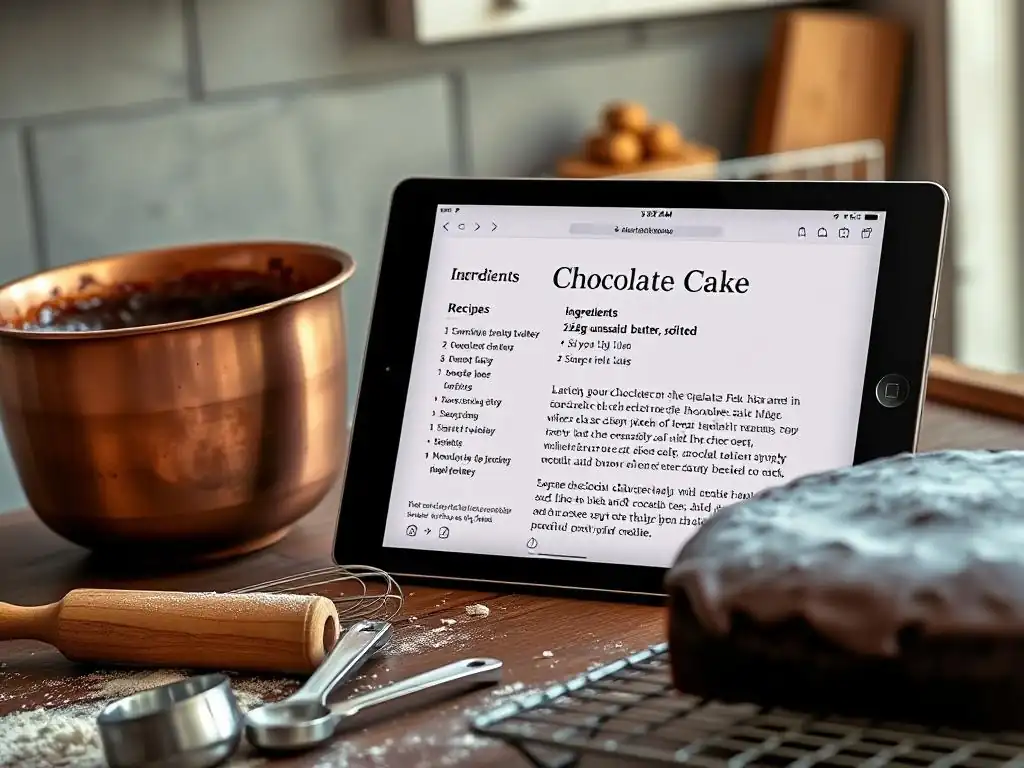
Acquiring one of the best recipe management apps is just the first step; leveraging its features effectively is key to truly transforming your baking workflow. Don't just use it as a digital filing cabinet. Explore all the functionalities your chosen app offers and integrate them into your routine. A well-utilized recipe organizer app can save you time, reduce stress, and even inspire you to try new things.
Think of your app as a dynamic tool that evolves with your baking skills and interests. Regularly update your collection, refine your organization system, and utilize features like meal planning and grocery lists consistently. The more you engage with the app's capabilities, the more value you'll derive from it, making your baking experience smoother and more rewarding.
Tips for Organizing Your Recipes Effectively
Consistent and logical organization is crucial for a large recipe collection. Start by establishing a system of categories and tags that makes sense to you. For example, categories could be broad types like "Cakes," "Cookies," "Breads," "Pastries," while tags could describe ingredients ("chocolate," "lemon"), occasions ("holiday," "birthday"), dietary needs ("gluten-free," "vegan"), or techniques ("sourdough," "laminated dough").
Be disciplined about adding tags and categories as soon as you save a new recipe. Don't let uncategorized recipes pile up. Regularly review your collection, remove recipes you'll never make, and refine your tags and categories over time. Consider adding personal notes to recipes about substitutions you made, results, or tips for next time. A well-organized app ensures you can always find the perfect recipe quickly when inspiration strikes.
Leveraging Web Clipping for New Baking Inspiration
Your recipe management app's web clipper is your portal to an endless source of new baking ideas online. Make it a habit to save interesting recipes as soon as you find them on blogs, food websites, or online magazines. Don't just bookmark pages in your browser; use the clipper to pull the recipe into your organized library where it's searchable and manageable alongside your existing collection.
Explore baking blogs like BakeWithEase regularly and use the clipper to build a diverse library of techniques and recipes. Save variations of classic recipes, experimental bakes, and recipes using ingredients you're curious about. Once saved, use your app's organization features to tag these new additions appropriately ("to try," "new technique") so you can easily revisit them later when planning your next baking adventure.
Many of the best recipe management apps offer features for sharing recipes digitally. This can be incredibly convenient when someone asks for your famous cookie recipe or you want to share a new find with a fellow baking enthusiast. Sharing options often include exporting recipes as text files, PDFs, or via direct links if the other person uses the same app.
Look for apps that make sharing easy and retain formatting. This allows you to pass on your culinary knowledge without resorting to handwritten notes or poorly formatted emails. Sharing recipes stored in your organized app is much simpler than digging through physical cards or trying to remember where you saw that one recipe online. It keeps your digital kitchen connected to your community.
Conclusion: Unlock Your Baking Potential with the Best Recipe Management App
Embracing digital tools for recipe management is one of the most effective ways home bakers can streamline their process, reduce clutter, and enhance their overall enjoyment of baking. The best recipe management apps offer powerful features that go far beyond simple storage, providing integrated solutions for saving, organizing, planning, and shopping. By choosing the right app for your needs and utilizing its features fully, you can transform your kitchen workflow.
Whether you opt for a comprehensive paid app like Paprika, a free and powerful saver like Copy Me That, or an AI-enhanced tool like Whisk, integrating a dedicated recipe organizer app into your routine is a significant upgrade. It frees you from the limitations of physical recipe collections and empowers you with searchability, organization, and planning capabilities that make baking more efficient and less stressful.
Embrace the Digital Kitchen: BakeWithEase's Final Thoughts
At BakeWithEase, we believe that the joy of baking comes from the process as much as the delicious results. By adopting one of the best recipe management apps, you're not just organizing recipes; you're optimizing your entire baking journey. You're saving time on searching and shopping, reducing food waste by planning effectively, and keeping your valuable collection safe and accessible.
We encourage you to explore the options, perhaps starting with a free trial or a free version, and see how a digital recipe manager fits into your kitchen. Find the app that resonates with your baking style and commit to using it consistently. Unlock the full potential of your recipe collection and spend more time doing what you love – creating wonderful baked goods with ease. The digital kitchen awaits, ready to help you bake smarter, not harder.
Frequently Asked Questions
What are the benefits of using a recipe management app for baking?
Recipe management apps help bakers organize recipes, reduce waste by planning ingredients, and improve consistency by easily accessing instructions.
Can I import recipes from websites into these apps?
Yes, most best recipe management apps offer features to import recipes directly from websites, saving you time and effort. They often use web scraping technology.
Are these apps suitable for beginner bakers?
Absolutely! Many apps offer user-friendly interfaces and features like step-by-step instructions and visual aids, making baking more accessible for beginners.
Do these apps offer features beyond just storing recipes?
Many best recipe management apps include features like meal planning, grocery list generation, and nutritional information tracking for a more comprehensive baking experience.
Are there any free recipe management apps available?
Yes, several free apps offer basic recipe storage and organization. However, premium features like advanced search and cloud syncing may require a subscription.
Final Reflection: Unlocking Culinary Creativity Through Digital Organization
The rise of digital recipe management isn't just a trend; it's a revolution in the kitchen. No longer are we bound by tattered recipe cards and overflowing recipe boxes. The ability to instantly access, organize, and share recipes has fundamentally changed how we approach cooking, making the culinary experience more accessible and enjoyable for everyone.
The impact of these apps extends far beyond simple organization; they've fostered a vibrant online community of food enthusiasts. We share our culinary triumphs and failures, discover new ingredients and techniques, and connect with like-minded individuals across the globe. This shared passion, fueled by readily available digital resources, is incredibly powerful. Food is symbolic of love when words are inadequate.
- Alan D. Wolfelt. This sentiment rings truer than ever in our digitally connected world, where the sharing of recipes becomes a form of digital connection and cultural exchange.
Now, consider your own culinary journey. What tools and methods do you currently use to manage your recipes? Are you ready to embrace the efficiency and community offered by dedicated recipe management apps? Take the time to explore the options discussed in this article, and discover the app that best suits your needs and cooking style. Embrace the digital age, and unlock a new level of culinary creativity and connection.
Unlock Your Baking Potential: Organize & Conquer Your Recipes!
Thanks for exploring recipe management with us! We hope you found the perfect app to make your baking more enjoyable. Are you ready to elevate your baking skills?
- Master your recipe collection: Start organizing your recipes today using your chosen app—categorize, tag, and search easily. This is the most impactful step you can take right now.
- Share your baking successes (or challenges!): Join our BakeWithEase community on social media and share your experiences with your favorite recipes and techniques. Let’s bake together!
- Try a new recipe this week: Pick a recipe from your organized collection and give it a go! What delicious creation will you surprise yourself with?
What innovative baking method will you try first now that your recipes are all in order?