
Free or Pro? The Best Recipe Apps for Every Baking Budget

Welcome to BakeWithEase, where mastering the art of baking becomes delightfully simple! Are you ready to transform your kitchen into a culinary haven without breaking the bank? In this article, we delve into the world of baking apps, exploring the best recipe apps available, designed to fit every baking budget. Discover whether free or pro apps reign supreme and unlock a treasure trove of delicious possibilities. Let's get baking!
- Free or Pro? The Best Recipe Apps for Every Baking Budget on BakeWithEase.com
- Finding the Right Recipe App: Baking on a Budget
- Free Baking Recipe Apps: Delicious Treats Without the Cost
- Pro Baking Recipe Apps: Investing in Your Baking Passion
- Free vs. Pro: Choosing the Best Baking App for Your Needs
- Recommendations: Best Recipe Apps Based on Your Baking Style
- Maximizing Your Baking Experience with the Right App
-
Frequently Asked Questions
- What are some factors to consider when choosing the best recipe apps for baking?
- Are there any free recipe apps that are actually good for baking?
- How do pro recipe apps differ from free ones, and are they worth the cost?
- Can I find recipes for specific dietary needs (e.g., gluten-free, vegan) on baking recipe apps?
- How can recipe apps help me stay within my baking budget?
- Final Reflection: The Sweet Taste of Choice in the Baking World
- Unleash Your Inner Baker! Which App Will You Choose?
Free or Pro? The Best Recipe Apps for Every Baking Budget on BakeWithEase.com
Finding the Right Recipe App: Baking on a Budget
Simplify Baking with the Best Recipe Organizer Apps for Home Bakers
Organizing your baking recipes is a game-changer for any home baker, helping you move from scattered notes and bookmarks to a streamlined system. The best recipe organizer apps for home bakers offer a central place to store, categorize, and easily access all your favorite sweet and savory creations. Imagine pulling up that perfect chocolate chip cookie recipe instantly on your phone or tablet, complete with your personal notes on ingredient substitutions or baking times. This kind of organization not only saves time but also reduces stress in the kitchen, ensuring a smoother, more enjoyable baking experience.
A dedicated recipe app can transform how you approach baking projects. Beyond simple storage, many of the best recipe apps for a baking budget offer features like scaling recipes up or down, creating shopping lists directly from recipes, and even planning your baking schedule for the week. For anyone serious about improving their skills or simply wanting to bake more often without the hassle, finding a recipe app that fits your workflow and budget is a crucial step. It’s about leveraging technology to enhance your passion, making every baking session more efficient and successful.
Why Use a Recipe App for Baking? Streamlining Your BakeWithEase Experience
Using a recipe app specifically for baking brings numerous advantages that streamline your process and elevate your results. One primary benefit is having all your recipes, whether clipped from websites, transcribed from cookbooks, or family heirlooms, digitized and searchable. No more sifting through stacks of paper or scrolling endlessly through photo albums. A good app allows you to search by ingredient, category, or even keywords in your notes, making it incredibly fast to find exactly what you need, whether it's a quick bread for breakfast or a complex cake for a special occasion.
Furthermore, many baking recipe apps offer dynamic features tailored to the precision required in baking. This might include built-in timers, unit conversions (grams to ounces, cups to milliliters), and the ability to easily adjust ingredient quantities when scaling a recipe. Some apps even allow you to add photos of your finished baked goods, making it easier to remember which variation of a recipe yielded the best results. Integrating these tools into your baking routine, especially when using recipes from BakeWithEase.com, helps ensure accuracy and repeatability, paving the way for consistent baking success.
Free Baking Recipe Apps: Delicious Treats Without the Cost
Best Free Recipe Apps for Baking Enthusiasts
Finding the best recipe apps baking budget doesn't always mean spending money. There are several excellent free options available that provide robust features for organizing, discovering, and managing your baking endeavors. While free apps often have limitations compared to their paid counterparts, they can be perfectly adequate for many home bakers, especially those just starting out or who don't need highly advanced features. These apps offer a taste of digital recipe management without any financial commitment, making them a great starting point for exploring the world of recipe organization.
These free platforms typically rely on advertising or offer a limited feature set to encourage upgrades to a paid tier. However, their core functionality—like storing recipes, creating shopping lists, and basic organization—is often quite capable. By leveraging a free recipe app, you can begin to centralize your collection, reduce clutter, and make your baking process smoother, all while keeping your budget focused on quality ingredients. It's about finding the right balance between features and cost, and for many, a free app provides significant value.
Allrecipes: A Massive Free Recipe Database for Bakers
Allrecipes is one of the most popular recipe platforms globally, boasting millions of recipes contributed by home cooks and bakers. For a home baker on a budget, the sheer volume of free baking recipes available is a major draw. You can find everything from simple cookie recipes and classic cakes to international pastries and artisan bread techniques. The app allows you to browse, save, and rate recipes, as well as read comments and tips from other users who have tried the recipes, offering valuable insights and potential modifications.
The platform also offers basic tools like scaling recipes and creating shopping lists directly from the ingredients. While primarily a database, its popularity means you can usually find multiple variations of a single recipe, allowing you to compare ingredients and methods. For discovering new ideas and accessing a vast, community-tested library of baking recipes without spending a dime, Allrecipes stands out as a strong contender among free options for the best recipe apps baking budget.
Key Features of Allrecipes for Baking
Allrecipes provides several useful features for bakers within its free app. Users can search its extensive database using keywords, ingredients, or dietary restrictions. Once a recipe is found, it can be saved to a personal favorites list for easy access. The app displays user ratings and reviews prominently, which is particularly helpful for baking where precision is key – you can often see which recipes have consistently good results or common pitfalls to avoid.
Another practical feature is the ability to adjust serving sizes, which automatically recalculates ingredient quantities, a necessity when scaling baking recipes. You can also generate a shopping list from a recipe with a few taps, making grocery trips more efficient. While it might lack advanced organizational tools like custom tags beyond basic folders, the combination of a huge recipe library, community feedback, and essential tools makes Allrecipes a solid free resource for any baker.
Drawbacks of Allrecipes' Free Baking Recipes
Despite its massive library, the free version of Allrecipes does have limitations for dedicated recipe organization. Since the recipes are user-submitted, quality and accuracy can vary; not every recipe is rigorously tested, which can be frustrating in baking where precise measurements are critical. Finding specific recipes you've saved can also become cumbersome if your saved list grows very large, as advanced sorting or filtering options are limited.
The free app is supported by advertisements, which can sometimes interrupt the user experience while browsing or viewing a recipe. Furthermore, while you can save recipes from the Allrecipes website, the app's primary focus is on its own database, making it less ideal for importing and organizing recipes from external sources like your favorite baking blogs or personal notes. For bakers needing robust personal recipe management beyond browsing, these drawbacks might lead them to explore other options among the best recipe apps baking budget.
BigOven: Free Recipe Clipping and Simple Baking Organization
BigOven offers a compelling free tier that balances discovery with basic organization, making it a popular choice for those seeking the best recipe apps baking budget. Its standout free feature is the ability to clip recipes from websites, allowing you to consolidate recipes from various sources into one digital space. This is particularly useful for bakers who follow multiple blogs or websites, including resources like BakeWithEase.com, and want to keep all their finds in one place without manual transcription.
In addition to web clipping, the free version allows you to save a limited number of your own recipes (often around 10-25, though this can change) and access a large community database of recipes. You can create shopping lists and utilize a "Use Up Leftovers" tool, which suggests recipes based on ingredients you have on hand – a clever way to minimize waste and find new baking opportunities. While not as feature-rich as the paid version, the core clipping and saving functions provide significant value at no cost.
BigOven's Free Tier: Perfect for Basic Baking Needs?
For bakers who primarily need a digital place to save recipes found online and a few personal favorites, BigOven's free tier can be quite effective. The web clipper is intuitive and works well for capturing recipes from most websites, preserving the key details like ingredients and instructions. This capability alone makes it a contender for best recipe apps baking budget for many casual bakers who don't want to manually type in recipes.
The ability to create simple shopping lists from saved recipes also adds practical utility, simplifying grocery planning for baking projects. While the free version limits the number of personal recipes you can add and restricts access to more advanced features like meal planning calendars or unlimited recipe storage, it serves as an excellent entry point into digital recipe management. It allows users to experience the benefits of centralized recipe keeping before deciding if a paid subscription is worthwhile.
Limitations of the Free BigOven Account for Advanced Bakers
While the free BigOven account is great for basic needs, it quickly reveals limitations for more advanced or prolific home bakers. The most significant constraint is the cap on the number of personal recipes you can add (typically 10 to 25). This is a major hurdle if you have a large collection of family recipes, cookbook favorites, or handwritten notes you wish to digitize and store.
Access to premium features like unlimited recipe storage, robust meal planning, nutritional information, and ad-free browsing is reserved for paid subscribers. For a baker who wants to manage hundreds of recipes, plan complex baking projects over several days, or utilize advanced filtering and search options, the free tier will feel restrictive. These limitations mean that while BigOven is a solid free option for casual use, serious bakers may need to upgrade or look elsewhere for the best recipe apps baking budget that meet their comprehensive needs.
Copy Me That: Recipe Importing and Organization for Free
Copy Me That distinguishes itself as a free recipe app by focusing heavily on easy recipe importing from almost any website. It provides a browser extension or bookmarklet that allows you to click and save recipes directly to your account with remarkable accuracy. This feature is a major advantage for bakers who find recipes across the internet and want a simple, efficient way to collect them without manual copy-pasting, positioning it well among the best recipe apps baking budget for ease of use.
The app also offers basic organizational tools, allowing you to tag recipes and create categories to keep your collection tidy. You can view recipes cleanly, free from distracting website elements, and even add your own notes and edits. Copy Me That's core strength lies in its simplicity and effectiveness at its primary function: gathering recipes from the web and making them accessible in one place, all without a subscription fee.
Copy Me That Baking-Specific Features
While not exclusively designed for baking, Copy Me That's core functionality serves bakers exceptionally well. The ability to effortlessly "copy" recipes from any baking blog, recipe site, or online magazine means you can quickly build a digital cookbook of your go-to baking resources, including those from BakeWithEase.com. The saved recipes are stored in a clean, readable format, making them easy to follow while your hands are covered in flour.
Users can add personal notes to any copied recipe, which is invaluable for bakers who often tweak ingredients or techniques. For example, you can note that a specific cookie recipe needs an extra 5 minutes in your oven or that substituting almond flour for all-purpose works well. You can also create shopping lists directly from your saved recipes. This focus on simple, effective collection and personalization makes it a practical tool for managing diverse baking recipes.
Copy Me That Trade-offs: Ads and Limited Storage
As a free service, Copy Me That does have trade-offs. The primary way it supports itself is through advertisements, which are visible within the app and on the website. While generally not overly intrusive, they are present. Another potential limitation, though less explicitly defined than BigOven's cap, can be the performance or storage capacity if you amass an extremely large number of recipes, although for most home bakers, this is unlikely to be a significant issue.
More importantly, Copy Me That lacks advanced features found in premium recipe managers. You won't find sophisticated meal planning tools, detailed nutritional breakdowns, or collaborative features. Its organizational capabilities are relatively basic, relying mainly on tags and simple categories rather than complex filtering or nested folders. For bakers who need more than just collecting and basic saving, these limitations might lead them to explore paid alternatives for the best recipe apps baking budget that offer deeper functionality.
Pro Baking Recipe Apps: Investing in Your Baking Passion
For home bakers who are deeply invested in their craft and seek the ultimate in organization, features, and a seamless experience, investing in a premium recipe app can be well worth the cost. Paid recipe managers offer a level of sophistication and convenience typically not found in free versions. These apps often boast unlimited storage for your personal recipes, advanced search and filtering capabilities, robust meal planning tools (useful even for planning multiple baking projects), and an ad-free environment.
The best recipe apps baking budget in the premium category are designed to be comprehensive tools that support every stage of the baking process, from discovering or importing a recipe to creating a shopping list, executing the bake, and even tracking results. While they require a financial investment, the time saved, the ease of use, and the enhanced organizational power can significantly elevate your baking workflow and enjoyment, making it a worthwhile expenditure for dedicated enthusiasts.
Paprika Recipe Manager: A Powerhouse for Organized Baking
Paprika Recipe Manager is widely regarded as one of the most powerful and flexible recipe organization apps available, making it a top contender for serious bakers willing to invest. It's a one-time purchase per platform (iOS, Android, macOS, Windows), rather than a subscription, which many users prefer. Paprika excels at importing recipes from websites with its built-in browser, automatically detecting and saving recipe data with high accuracy.
Once recipes are imported or manually entered, Paprika offers unparalleled organizational tools. You can create custom categories, add multiple tags to each recipe, and use smart folders to automatically group recipes based on criteria you define (e.g., all "cookie" recipes tagged "chocolate" and "easy"). It also includes robust features like scaling recipes, converting measurements, tracking pantry inventory, and generating dynamic shopping lists that sort items by grocery aisle. For bakers with a large and growing collection, Paprika provides the structure needed to keep everything perfectly in order.
Paprika's Advanced Baking Organization Features
Paprika truly shines in its detailed organizational capabilities, which are highly beneficial for managing a diverse collection of baking recipes. Beyond standard folders, you can assign multiple tags to recipes, allowing for incredibly flexible filtering. For instance, a single recipe might be tagged "Cake," "Chocolate," "Birthday," and "Intermediate," making it easy to find when you need it. Smart folders can automatically pull recipes based on combinations of keywords, tags, or categories, presenting dynamic lists like "All Bread Recipes with Sourdough Starter."
The app also includes a pantry feature where you can list ingredients you have on hand, helping you plan baking projects based on what's available. The integrated browser and clipper are exceptionally good at capturing recipes from virtually any website, including complex ones, preserving formatting and instructions clearly. The ability to add photos, notes, and even mark progress within a recipe ( _bold _ to indicate steps completed) further enhances its utility for bakers who follow multi-step instructions.
Is Paprika's Price Justified for Home Baking?
Paprika Recipe Manager requires a one-time purchase for each platform you want to use it on (e.g., separate purchases for iOS and macOS). While the cost can add up if you need it on multiple devices, many users find this model preferable to recurring subscriptions, especially for an app they use frequently over many years. The cost for a single platform is typically in the range of $5 to $30, depending on the operating system.
For a casual baker with only a handful of recipes, this price might seem high compared to free options. However, for serious home bakers who have amassed hundreds of recipes, regularly clip new ones, need advanced organization, and utilize features like scaling, pantry management, and detailed shopping lists, Paprika's robust feature set and reliability often justify the investment. It significantly reduces the friction in managing recipes, freeing up more time and mental energy for the actual baking, making it a strong candidate for the best recipe apps baking budget if your budget allows for a one-time fee.
Cookidoo®: A Thermomix® Baking Ecosystem (and More)
Cookidoo® is the official recipe platform for the Vorwerk Thermomix® cooking appliance. While primarily designed to integrate seamlessly with the Thermomix, providing guided cooking for thousands of recipes, it also functions as a comprehensive recipe library and management tool accessible via web and mobile apps. Cookidoo® boasts an extensive collection of tested and perfected recipes, many of which are specifically developed for baking using the Thermomix's precise temperature and mixing controls.
Access to Cookidoo® requires a paid subscription, which unlocks the entire recipe database (tens of thousands globally) and the ability to plan meals, create shopping lists, and sync with your Thermomix. While its core strength lies in its integration with the appliance, the quality and variety of its recipes, particularly the tested baking ones, make it a resource worth considering even if you don't own a Thermomix, though its value proposition changes significantly in that case.
Cookidoo®: Integrating Recipes and Thermomix® Technology for Baking
For Thermomix owners, Cookidoo® offers an unparalleled integrated baking experience. Recipes are designed for guided cooking, with the appliance automatically setting time, temperature, and speed according to the recipe steps displayed on its screen or a connected device. This precision is particularly beneficial in baking, where exact conditions are often crucial for success. The platform includes a vast array of baking recipes, from simple doughs and batters to complex patisserie.
Beyond guided cooking, Cookidoo® allows users to search, save, and organize recipes from its extensive library. You can create personal collections, plan baking projects using the calendar feature, and generate shopping lists. The seamless synchronization between the app/website and the Thermomix appliance means your planned bakes and saved recipes are always accessible, making the entire process from planning to execution incredibly smooth for Thermomix users.
Cookidoo® Subscription Cost: Is It Worth It for Non-Thermomix® Users?
Access to Cookidoo® requires an annual subscription, typically costing around $50-60 per year. For Thermomix owners, this cost is often considered worthwhile due to the guided cooking feature, the vast library of tested recipes, and the seamless integration with the appliance. The sheer volume and quality of the recipes, many specifically developed for precise baking, are significant benefits.
However, for home bakers who do not own a Thermomix, the value proposition of a Cookidoo® subscription is less clear. While you gain access to the large recipe database and organizational tools, you lose the core benefit of guided cooking on the appliance.
Essentially, you're paying a premium for a recipe library and standard management features that might be available through other, potentially less expensive, premium apps or even robust free options. Unless you find the specific recipe collection uniquely appealing or plan to purchase a Thermomix in the future, the annual cost might be hard to justify compared to other best recipe apps baking budget options available.
Recipe Keeper: A Versatile and Affordable Premium Option
Recipe Keeper positions itself as a versatile and affordable premium recipe management solution, available as a one-time purchase or a low-cost annual subscription, depending on the platform and version. It offers a good balance of features for organizing, importing, and using recipes, making it a strong contender for the best recipe apps baking budget for those seeking more than free apps offer without the higher price point of some competitors.
The app allows you to import recipes from websites, scan recipes from books or magazines using OCR (Optical Character Recognition), and manually enter your own. It provides solid organizational tools like categories and tags, supports recipe scaling, and generates shopping lists. With versions available across multiple platforms (iOS, Android, Windows, macOS), it offers flexibility for users who work on different devices, and its pricing structure is generally considered very competitive.
Recipe Keeper Unique Baking Tools and Benefits
Recipe Keeper provides several features that are particularly beneficial for bakers. Its web importing is generally reliable, allowing you to quickly save baking recipes from your favorite online sources like BakeWithEase.com. The OCR scanning feature is a significant advantage for bakers who have many recipes saved in physical cookbooks or handwritten notes, allowing for relatively easy digitization. While scanning accuracy can vary, it's a feature not commonly found in many recipe apps.
The ability to add photos to your recipes is great for tracking your results or simply making your digital cookbook more visually appealing. Recipe scaling is straightforward, and the shopping list feature helps streamline grocery runs for your baking projects. The app also offers a meal planner, which can be adapted to plan out complex baking projects requiring multiple steps over several days. Its combination of importing options, organization, and essential tools makes it a practical choice for managing a baking collection.
Recipe Keeper Pricing and Target Audience
Recipe Keeper offers flexible pricing, often available as a one-time purchase for desktop versions or an affordable annual subscription for mobile/cloud sync features. For example, a desktop license might be around $20-30, while a subscription for cloud sync across devices could be similar per year. This tiered approach allows users to choose the payment model that best suits their needs and budget.
The target audience for Recipe Keeper is likely home cooks and bakers who have a diverse collection of recipes from various sources (web, books, notes) and need a capable, cross-platform solution for organizing them without breaking the bank. It offers a significant upgrade in features and convenience compared to most free apps, particularly in its importing capabilities and lack of ads, while remaining more affordable than some high-end premium managers. For a baker seeking robust features on a moderate budget, Recipe Keeper is definitely worth considering among the best recipe apps baking budget.
Free vs. Pro: Choosing the Best Baking App for Your Needs
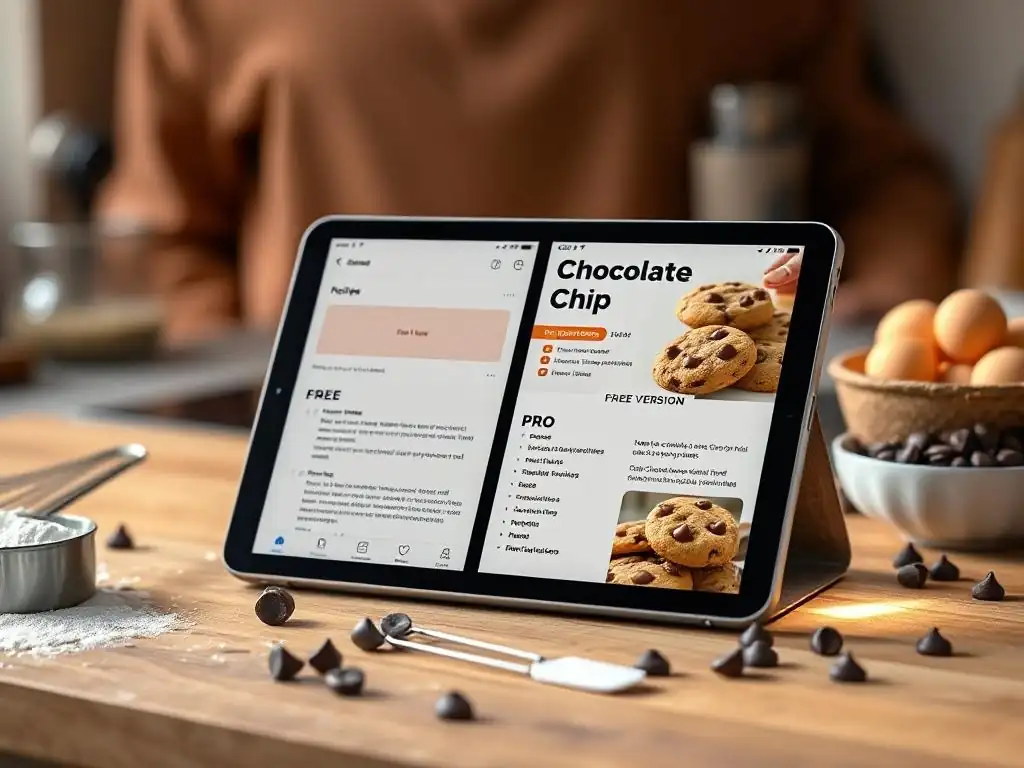
Comparing Free and Paid Recipe Apps for Baking: A Detailed Breakdown
Deciding between a free and a paid recipe app for your baking needs requires a careful look at your baking habits, the size of your recipe collection, and how you plan to use the app. Free apps, like Allrecipes or Copy Me That, are excellent for discovering new recipes, saving a limited number of favorites, and basic list creation. They are ideal for casual bakers or those just starting to organize their digital recipes, offering a taste of convenience without financial commitment.
Paid apps, such as Paprika or Recipe Keeper, provide a much deeper feature set. They offer unlimited storage, advanced organizational tools (tags, smart folders), robust importing options (web, scan, manual), and often extra features like pantry management, detailed meal planning, and ad-free interfaces. These are best suited for serious home bakers with extensive recipe collections who bake frequently and require sophisticated tools to manage their passion efficiently. The investment pays off in time saved and a more streamlined workflow.
Feature Comparison: Free vs. Pro Baking Apps
When evaluating the best recipe apps baking budget, comparing specific features side-by-side highlights the differences between free and premium tiers. While core functions like viewing recipes are universal, the depth and breadth of capabilities vary significantly. Understanding these differences helps you determine which level of investment aligns with your baking goals and how much convenience you're willing to pay for.
Let's look at key areas where free and pro baking apps typically differ:
Recipe Organization: Free vs. Pro
Free apps often provide basic organizational structures, usually limited to simple folders or categories. You might be able to save recipes to a favorites list or perhaps create a few custom lists (e.g., "Cookies," "Bread"). Searching might be limited to keywords in the recipe title or ingredients. The ability to add detailed notes or customize recipe fields is often minimal.
Pro apps excel in recipe organization. They typically offer unlimited custom categories, tagging systems (allowing a recipe to belong to multiple groups), and powerful filtering or smart folders that automatically group recipes based on complex criteria. You can add extensive notes, photos, and even track modifications made to a recipe over time. Advanced search capabilities let you quickly find recipes based on any field, tag, or keyword.
Meal Planning: Free vs. Pro
Meal planning features in free recipe apps are usually non-existent or very basic, perhaps allowing you to add a recipe to a simple list for a specific day. They generally lack calendar views, drag-and-drop scheduling, or the ability to plan multiple meals/bakes throughout the week or month.
Premium recipe apps often include integrated, sophisticated meal planners. These can feature calendar interfaces, drag-and-drop functionality to assign recipes to specific dates and times, and the ability to plan multiple recipes per day. While designed for meals, bakers can easily adapt this feature to plan complex baking projects, schedule multiple bakes for an event, or map out a weekly baking routine.
Shopping Lists: Free vs. Pro
Most free recipe apps offer the ability to create a shopping list from a single recipe's ingredients. However, these lists are often basic text lists, lacking features like automatic sorting by grocery aisle, combining ingredients from multiple recipes intelligently, or allowing for easy editing and checking off items while shopping.
Pro recipe apps typically feature more advanced shopping list tools. They can generate a single, consolidated list from multiple recipes selected for meal planning or a baking project. Ingredients are often automatically sorted by common grocery store aisles (produce, dairy, baking supplies), and users can easily add or remove items, adjust quantities, and check off items as they shop. Some even sync across devices for collaborative shopping.
Advanced Baking Tools: Free vs. Pro
Advanced features specifically catering to baking are rare in free apps. You might find a basic unit converter or recipe scaling tool, but these are often less flexible or accurate than in paid versions. Features like pantry tracking, nutritional calculations (though less critical for many bakers), or timers integrated directly into the recipe view are generally absent.
Premium apps are more likely to include advanced tools. Recipe scaling is often more refined, handling ingredient conversions accurately. Some apps include pantry management to help you see what ingredients you have on hand before planning a bake. While not all premium apps have baking-specific timers built into the recipe view, many offer better integration with system timers or provide features that aid in tracking progress through complex instructions.
Budget Considerations: Finding the Right Baking App Price Point
Determining the best recipe apps baking budget means finding the sweet spot between cost and features that genuinely benefit your baking. For beginners or those who only bake occasionally and have a small recipe collection, a free app is likely sufficient. You can organize your most-used recipes and discover new ones without any financial outlay.
If you bake frequently, have a large and growing collection of recipes from various sources, value organization highly, and want features like reliable web clipping, offline access, and advanced search, a paid app is a worthwhile investment. Consider whether a one-time purchase (like Paprika) or an annual subscription (like Cookidoo or Recipe Keeper cloud) fits your long-term budget and preferences. Evaluate which premium features you will actually use regularly to ensure the cost is justified by the value you receive in streamlining your baking process.
Recommendations: Best Recipe Apps Based on Your Baking Style
Best Free Baking App for Beginners: Allrecipes or BigOven?
For beginners just starting to explore digital recipe management and looking for the best recipe apps baking budget without spending money, both Allrecipes and BigOven are strong contenders. Allrecipes offers an enormous database of community-contributed recipes, perfect for inspiration and finding classic baking staples. Its rating system and user reviews provide helpful guidance for those new to a recipe.
BigOven, on the other hand, shines with its free web clipping feature, which is invaluable if you're finding recipes on blogs or websites like BakeWithEase.com. While its free personal recipe storage is limited, the ability to easily save online finds is a major advantage for beginners who are building their collection from diverse internet sources. If discovering popular, tested recipes is your priority, go with Allrecipes. If you want to save recipes from across the web easily, BigOven's free clipper makes it a compelling choice.
For the serious home baker who has accumulated a vast collection of recipes from countless sources and demands robust, flexible organization, Paprika Recipe Manager is arguably the best recipe apps baking budget in the premium tier. Its one-time purchase model is appealing, and its features are tailored for serious collectors.
Paprika's strength lies in its superior importing capabilities, detailed tagging system, custom categories, and powerful smart folders. These tools allow you to slice and dice your recipe collection in countless ways, making it effortless to find exactly the recipe you need based on specific criteria. Features like pantry management and the integrated browser further enhance its utility for keeping your entire baking workflow organized. If your primary need is bringing order to a large and complex recipe library, Paprika is an excellent investment.
Best Integrated Baking App for Thermomix® Users: Cookidoo®
For home bakers who own a Thermomix® appliance, Cookidoo® is the undisputed best recipe apps baking budget option, provided you factor in the value of the appliance integration. While it requires an annual subscription, the seamless connection between the app/website and the Thermomix for guided cooking is a unique and powerful feature for baking precision.
The extensive library of tested recipes, specifically developed for the Thermomix, ensures reliable results. The ability to plan, shop, and then execute recipes with guided steps directly on the appliance screen streamlines the entire process. While less appealing for non-Thermomix users due to the cost and loss of core functionality, for those within the Thermomix ecosystem, Cookidoo® is an essential and highly effective tool for baking.
Best App for Collaborative Baking: Google Keep
While not a dedicated recipe app, Google Keep is an excellent free tool for collaborative recipe sharing and simple organization, making it a surprisingly effective option for baking with others. Its core function is note-taking and list-making, which can be easily shared and edited in real-time with other Google users.
You can create notes for individual recipes, including ingredients and instructions, and share them with family or friends. Checklists within notes are perfect for collaborative shopping lists or dividing tasks for a baking project. While it lacks advanced features like scaling or categorization beyond simple labels, its ease of use, real-time collaboration, and zero cost make it a great choice for baking clubs, family recipe sharing, or coordinating holiday baking with others.
Maximizing Your Baking Experience with the Right App
Tips for Using Recipe Apps to Improve Your Baking Skills
Leveraging the features of your chosen recipe app can significantly improve your baking skills. Start by using the notes section in each recipe to record your results, modifications, and lessons learned. Did that cake rise perfectly? Note the oven temperature and time used. Did substituting an ingredient work well? Jot it down. Over time, this creates a personalized baking journal within your recipe collection, helping you refine techniques and avoid repeating mistakes.
Utilize the scaling feature (if available) to practice baking in different batch sizes – this helps you understand how ingredient ratios affect outcomes. Use the shopping list generator to plan your ingredients precisely, reducing last-minute trips and ensuring you have everything needed before you start. Regularly reviewing your saved recipes and notes can reinforce best practices and inspire you to try new variations or techniques, steadily enhancing your mastery of baking.
Integrating Your Favorite BakeWithEase Recipes into Your Chosen App
One of the best ways to make a recipe app truly yours is by populating it with your most trusted and beloved recipes, including those from BakeWithEase.com. If your app has a web clipper (like Paprika, BigOven, or Copy Me That), use it to save recipes directly from the BakeWithEase website. This preserves the original instructions and ingredients cleanly within your app.
For recipes you've adapted or created yourself based on BakeWithEase principles, use the manual entry feature. Take the time to type in your perfected chocolate chip cookie recipe or your favorite sourdough bread method, adding all your specific measurements, steps, and crucial tips. If your app supports photos, add pictures of your successful bakes. Consolidating these go-to recipes makes them instantly accessible whenever inspiration strikes, transforming the app into a personal baking compendium.
Exploring Advanced Features for Baking Success
Once you're comfortable with the basics of your recipe app, explore its more advanced features to unlock even greater efficiency and control over your baking. Experiment with tagging recipes by difficulty level, occasion, or key technique (e.g., "creaming method," "laminating dough"). Use smart folders to automatically curate lists like "Recipes to Bake This Weekend" or "All Gluten-Free Desserts."
If your app has meal planning, adapt it to schedule multi-day baking projects, assigning specific tasks (e.g., "Make dough," "First rise," "Bake") to different days. Utilize pantry tracking to avoid overbuying ingredients and ensure you use items before they expire. By fully engaging with the advanced capabilities of your best recipe apps baking budget choice, you can move beyond simple storage and turn the app into a dynamic tool that actively supports your growth and success as a home baker.
Frequently Asked Questions
What are some factors to consider when choosing the best recipe apps for baking?
When choosing, consider your baking skill level, the app's recipe selection, and whether it fits your budget requirements. Free apps often have ads or limited features.
Are there any free recipe apps that are actually good for baking?
Yes, many free apps offer a great starting point! Look for apps with user reviews, clear step-by-step instructions, and a decent selection of basic recipes.
How do pro recipe apps differ from free ones, and are they worth the cost?
Pro apps typically offer ad-free experiences, premium recipe collections, and features like recipe customization or offline access. Whether they're worth it depends on your baking frequency and needs.
Can I find recipes for specific dietary needs (e.g., gluten-free, vegan) on baking recipe apps?
Absolutely! Many apps cater to specific dietary requirements, allowing you to filter recipes by ingredients or diet. Look for apps that clearly label these recipes.
How can recipe apps help me stay within my baking budget?
Some apps include features like ingredient cost calculators or allow you to create shopping lists to avoid impulse buys. Using the app's recipe selection efficiently helps you to only buy ingredients you need.
Final Reflection: The Sweet Taste of Choice in the Baking World
The accessibility of high-quality baking resources has never been greater, yet the choice between free and paid recipe apps remains a crucial consideration for home bakers of all skill levels. This exploration of the best recipe apps across various budgets reveals a fascinating landscape where functionality, features, and cost intertwine to shape the baking experience. The right app can be the difference between a perfectly risen loaf and a culinary catastrophe.
The impact of readily available recipe apps extends far beyond simple convenience; they've democratized baking knowledge, empowering individuals to explore culinary creativity regardless of their financial constraints. This shift has fostered a vibrant online community, sharing tips, tricks, and triumphs (and occasional failures! ). Baking is at once child's play and adult joy. And love.
– This sentiment, though not directly about apps, perfectly encapsulates the emotional connection we forge with baking, a connection amplified by the tools we use to achieve it.
Consider your own baking journey. What features are truly essential to you? Do you value a vast library of recipes, detailed instructions, or perhaps the ability to easily organize your personal collection? Reflect on your needs and budget, and choose the app that best complements your baking style. Don't be afraid to experiment – the perfect baking companion is out there, waiting to help you create your next culinary masterpiece. Embrace the possibilities, and happy baking!
Unleash Your Inner Baker! Which App Will You Choose?
Thanks for taking the time to explore the world of baking apps with us! We hope you found the perfect fit for your budget and baking style. Ready to get started creating delicious treats?
- Download your chosen app today! Begin experimenting with new recipes and techniques immediately.
- Share your baking journey with us on social media using #BakeWithEase – we'd love to see your creations!
- Explore the app's community features and connect with other passionate bakers to exchange tips and inspiration.
Which recipe will you bake first, and what incredible flavors will you discover?