Declutter and Discover: Why Bakers Need Recipe Organization Apps

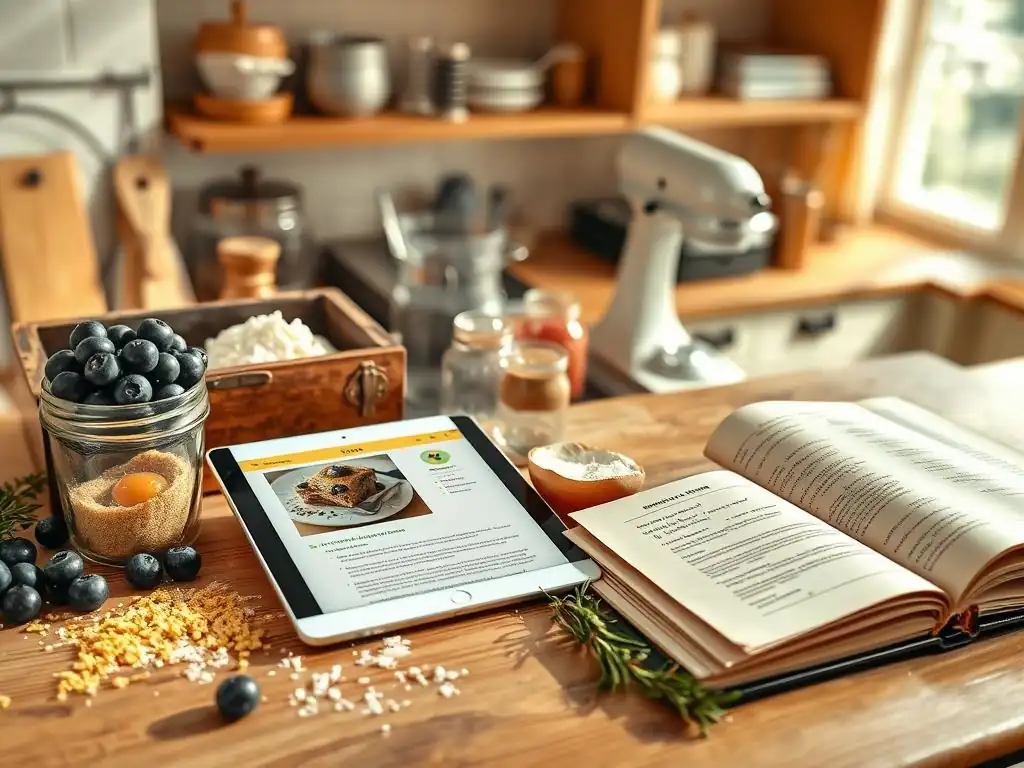
Welcome to BakeWithEase, where baking becomes a joy, not a chore! Ever felt overwhelmed by stacks of recipes, scribbled notes, and endless browser tabs? You're not alone. In today's digital age, staying organized is key to unlocking your baking potential. Prepare to discover a game-changer: recipe organization apps. This article dives deep into why recipe organization apps for bakers are essential and how they can revolutionize your kitchen. Curious to find out how these tools can transform your baking experience? Let's get started!
- The Messy Baker's Dilemma: Why Digital Recipe Management is Essential
- Recipe Organization Apps for Bakers: A Digital Kitchen Revolution
- Top Recipe Organization Apps for Bakers: A Comparative Review
-
How Recipe Organization Apps Solve Common Baking Problems
- Problem: Scaling Recipes for Different Batch Sizes - Solution: Built-in Scaling Tools
- Problem: Finding Specific Recipes Quickly - Solution: Powerful Search and Tagging
- Problem: Keeping Track of Ingredients - Solution: Integrated Shopping Lists and Pantry Inventory
- Problem: Sharing Recipes with Friends and Family - Solution: Collaboration Features and Export Options
- Choosing the Right Recipe App for Your Baking Needs: A Baker's Checklist
- Beyond Organization: Recipe Apps as Inspiration and Learning Tools
- Bake With Ease: Embrace Digital Recipe Management for a Smoother Baking Experience
-
Frequently Asked Questions
- What are the main benefits of using recipe organization apps for bakers?
- How do recipe organization apps help with meal planning in the context of baking?
- Are recipe organization apps suitable for both beginner and experienced bakers?
- Can recipe organization apps help with ingredient management and grocery shopping?
- Do recipe organization apps offer features for sharing recipes with other bakers?
- Final Reflection: The Sweet Taste of Organized Baking
- Unlock Your Baking Potential: Organize and Flourish!
The Messy Baker's Dilemma: Why Digital Recipe Management is Essential
From Scattered Scraps to Streamlined Success: The Challenges of Traditional Recipe Keeping
For generations, bakers have relied on handwritten notes, torn-out magazine pages, and well-worn cookbooks to store their beloved recipes. This traditional approach, while charming, often leads to a chaotic collection of instructions scattered across kitchen counters, drawers, and shelves.
Imagine trying to find that perfect chocolate chip cookie recipe you scribbled on a napkin last year – it's a common scenario for home bakers, resulting in wasted time and frustration just before you even preheat the oven. This disorganization makes it difficult to quickly access the recipe you need, especially when you're in the middle of a baking project and have flour on your hands.
Beyond the physical clutter, traditional methods lack searchability and consistency. A recipe for cinnamon rolls might be in a cookbook index, but your personal adjustments for a softer dough are only on a sticky note tucked inside page 47. When you need to quickly reference the baking temperature or the specific type of yeast you preferred, you're left sifting through multiple sources, hoping you remember where you put that crucial piece of information. This inefficiency is a major hurdle, especially for bakers who frequently try new recipes or adapt existing ones.
The Cost of Culinary Chaos: Wasted Ingredients, Time, and Inspiration
The lack of a centralized, organized system for managing baking recipes has tangible costs. One significant issue is ingredient waste. Without a clear overview of your recipes and what ingredients they require, it's easy to double-buy items you already have or realize halfway through a recipe that you're missing a key component, like baking powder or vanilla extract.
This leads to last-minute trips to the store or, worse, abandoning a recipe entirely, potentially wasting perishable ingredients like eggs or dairy that you've already prepped. Estimates vary, but food waste in the home due to poor planning can be significant, potentially adding up to hundreds of dollars annually for an active baker.
Furthermore, the time spent searching for recipes and verifying details adds up. If it takes an extra 10-15 minutes per baking session just to locate and prepare your instructions, that's hours lost over a month or year that could be spent actually baking or perfecting techniques. This friction can also dampen inspiration.
When the thought of finding and preparing a recipe feels like a chore, you might be less inclined to try that new sourdough loaf or elaborate cake you've been dreaming of. This culinary chaos hinders creativity and makes the enjoyable process of baking feel like a cumbersome task, highlighting the need for efficient recipe organization apps for bakers.
Recipe Organization Apps for Bakers: A Digital Kitchen Revolution
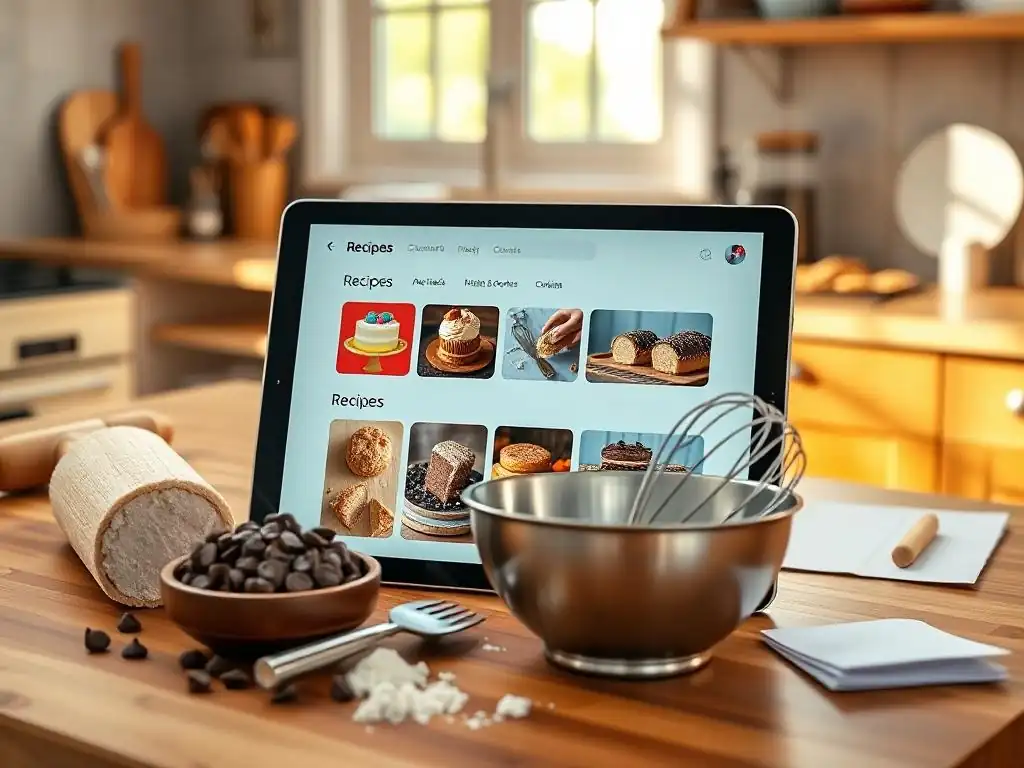
What are Recipe Organization Apps and Why are They Game-Changers for Home Bakers?
Recipe organization apps are digital tools designed to store, manage, and enhance your collection of recipes. Think of them as your ultimate digital cookbook and kitchen assistant rolled into one. Instead of relying on physical paper or scattered computer files, these apps allow you to centralize all your recipes in one accessible location, typically on your smartphone, tablet, or computer. They provide structured ways to input, save, and categorize recipes, making it simple to build a comprehensive database of everything you love to bake.
For home bakers, these apps are game-changers because they directly address the challenges of traditional methods. They eliminate physical clutter, provide instant access to your entire recipe library, and offer powerful features that go far beyond simple storage. A good recipe organization app for bakers transforms the way you interact with your recipes, turning a potentially frustrating search into a quick tap or search query. This shift to digital management streamlines your entire baking workflow, from planning what to bake to creating shopping lists based on the recipes you choose.
Key Features to Look For in a Baking Recipe App: Search, Scaling, and Sharing
When choosing a recipe organization app for your baking needs, several features are particularly valuable. A robust search function is paramount; you should be able to find recipes instantly by name, ingredient, tag (like "chocolate" or "gluten-free"), or even keywords within the instructions. Imagine searching for "lemon pound cake" and getting results in seconds, rather than flipping through multiple index pages.
Another critical feature for bakers is ingredient scaling. Many apps allow you to automatically adjust ingredient quantities based on the desired yield. Need to double that cookie recipe from 24 to 48 cookies? The app can calculate the new amounts of flour, sugar, butter, and eggs instantly.
This saves significant time and reduces the risk of calculation errors. Finally, the ability to easily share recipes via email, text, or within the app's own community is a major plus, allowing you to swap favorites with friends or family without needing to transcribe everything by hand. Other useful features include meal planning capabilities (even for planning baking projects! ), shopping list generation directly from selected recipes, and the ability to add personal notes or modifications to existing recipes.
Top Recipe Organization Apps for Bakers: A Comparative Review
1. Recipe Keeper: The All-in-One Baking Companion
Recipe Keeper is a popular choice among home cooks and bakers for its comprehensive feature set and user-friendly design. It aims to be a complete digital solution for managing recipes, offering tools that cover the entire cooking and baking process from finding recipes to shopping for ingredients. Its interface is generally intuitive, making it relatively easy for new users to get started with digitizing their collection.
The app supports adding recipes manually, importing from websites, and even scanning from cookbooks or magazines (though scanning accuracy can vary). It offers categorization, tagging, and a search function. Users often praise its simplicity for basic recipe entry and organization, making it a solid entry point for bakers looking to move away from physical recipe storage.
Features: Digital Recipe Box, Ingredient Scaling, Meal Planning, and Shopping List Generation
Recipe Keeper serves as a central digital recipe box where you can store an unlimited number of recipes with the paid version. Each recipe can include ingredients, instructions, notes, photos, and categorization. A key feature for bakers is the built-in ingredient scaling tool, allowing you to quickly adjust recipe yields and automatically update ingredient quantities. This is particularly useful when baking for different group sizes or trying out smaller test batches.
The app also includes meal planning functionality, which can be adapted for planning baking projects (e.g., planning which types of cookies to bake for a holiday). Crucially, you can generate shopping lists directly from the recipes you've added to your meal plan or simply select recipes you need ingredients for. The shopping list can consolidate ingredients and can often be edited or categorized by aisle, saving time at the grocery store.
Pros and Cons: User-Friendly Interface vs. Limited Cloud Storage on Free Plan
A significant pro for Recipe Keeper is its clean and user-friendly interface, which many find easy to navigate even with limited technical experience. It provides a straightforward way to input and organize recipes. The availability of features like scaling and shopping lists within the same app is also a major advantage, creating a seamless workflow for bakers.
However, the free version of Recipe Keeper often has limitations, particularly regarding cloud storage and syncing across devices. Users typically need to purchase the full version (often a one-time fee per platform) to unlock unlimited recipe storage and reliable syncing between devices like a phone and a tablet or computer. This can be a drawback for users who prefer a subscription model or a completely free solution for extensive libraries.
Monetization: One-Time Purchase for Full Features, Cross-Platform Syncing
Recipe Keeper primarily uses a one-time purchase model to unlock its full capabilities. This means you buy the app once per operating system (e.g., iOS, Android, Windows, macOS) rather than paying a recurring monthly or annual subscription. The cost varies by platform but is typically in the range of $5 to $15 per app version.
Purchasing the full version usually removes ads (if any), unlocks unlimited recipe storage, and, importantly for cross-device users, enables cloud syncing. While this one-time fee can feel like a larger initial investment compared to free apps, it avoids ongoing subscription costs and provides perpetual access to the features on the purchased platform. Syncing across different operating systems (like iOS to Windows) might require purchasing licenses for each platform.
2. Paprika Recipe Manager: A Robust Solution for Serious Bakers
Paprika Recipe Manager is often cited as one of the most powerful and feature-rich recipe organization apps available. It's designed for users who want extensive control over their recipe data, including detailed nutritional information, pantry management, and a highly effective web clipping tool. While it might have a slightly steeper learning curve than simpler apps, its capabilities are well-suited for serious home bakers who manage a large volume of recipes and ingredients.
The app is available on multiple platforms and offers robust syncing capabilities, making it easy to access your recipes whether you're in the kitchen with a tablet or planning on your computer. Its focus on importing recipes from the web is a major draw, allowing bakers to quickly save recipes from their favorite blogs and baking websites without manual entry.
Features: Web Clipper, Offline Access, Nutritional Information, and Pantry Inventory
Paprika's standout feature is its integrated web browser and clipper, which can automatically detect and import recipes from most websites with a single tap. This saves significant time compared to copying and pasting or manual entry. Once saved, recipes are stored locally, allowing for full offline access, which is incredibly useful if your kitchen doesn't have reliable Wi-Fi.
The app also offers the ability to add and view nutritional information (though this often requires manual input or relying on the source website's data). For diligent bakers, the pantry inventory feature allows you to track ingredients you have on hand, helping to prevent overbuying and ensuring you have everything you need before starting a recipe. It also includes ingredient scaling, shopping lists, and meal planning, similar to Recipe Keeper, but often with more customization options.
Pros and Cons: Powerful Features vs. Steeper Learning Curve
The primary advantage of Paprika is its comprehensive set of powerful features, particularly the web clipper and offline access, which significantly streamline the process of building and using a digital recipe library. The level of detail it allows for each recipe, including personal notes, photos, and even linking related recipes, makes it ideal for bakers who heavily modify or experiment. Its robust syncing is also highly reliable.
On the downside, the sheer number of features can make the app feel a bit overwhelming initially, leading to a steeper learning curve compared to more minimalist options. While the interface is functional, some users might find it less visually appealing than newer apps. Also, like Recipe Keeper, it uses a per-platform purchase model, which can be expensive if you want it on several different types of devices.
Monetization: One-Time Purchase Fee, Recipe Syncing
Paprika Recipe Manager operates on a one-time purchase model for each platform it's available on (iOS, Android, macOS, Windows). Prices typically range from $5 to $30 depending on the operating system, with the desktop versions usually being more expensive than the mobile apps. There is no free version available; you must purchase the app to use it.
Once purchased, there are no recurring subscription fees for basic usage or syncing between devices using the same Paprika account. The one-time purchase grants full access to all features and unlimited recipe storage. Syncing between different platforms (e.g., your iPhone and your Windows PC) is included with the purchase of the respective apps, using Paprika's own cloud service.
3. Copy Me That: Effortless Recipe Import and Customization for Baking
Copy Me That distinguishes itself with an exceptionally easy-to-use web clipper and a focus on making saved recipes fully editable and customizable. It's designed to simplify the process of grabbing recipes from the internet and making them your own. It aims to be intuitive for even casual users, reducing the friction associated with starting a digital recipe collection.
The app and website work together seamlessly, allowing you to save recipes from your computer and access them easily on your mobile device in the kitchen. Its strength lies in its ability to quickly parse recipe information from various website formats, minimizing the need for manual cleanup after importing.
Features: Recipe Parsing from Websites, Customizable Recipe Cards, and Collaboration Tools
Copy Me That excels at importing recipes from websites. You can use a browser extension or share button to send a link to the app, and it typically does an excellent job of identifying ingredients, instructions, and other recipe details, presenting them in a clean, editable format. This automatic parsing feature is a major time-saver for bakers who find many recipes online.
Once a recipe is saved, you can easily edit any part of it – change ingredients, add notes, modify instructions, or adjust serving sizes. This flexibility allows bakers to create truly personalized digital recipe cards that reflect their own variations and successful experiments. The app also includes collaboration features, allowing you to share recipes with others or even create shared lists for planning baking projects together. Shopping lists and meal planning are also included.
Pros and Cons: Easy to Use vs. Limited Recipe Storage on Free Plan
A significant pro for Copy Me That is its remarkable ease of use, particularly the web clipping and editing functions. The process of saving and customizing recipes is very fluid, making it appealing for bakers who want minimal hassle. The ability to easily tweak saved recipes is also a major benefit for those who often adapt recipes.
The main limitation, especially for prolific bakers, is the storage limit on the free plan. While you can save recipes, the number might be capped unless you upgrade to the premium subscription. This means if you have hundreds or thousands of recipes, the free version may not be sufficient. Some users also find the interface slightly less polished than some competitors, although it is highly functional.
Monetization: Premium Subscription for Ad-Free Experience and Unlimited Storage
Copy Me That uses a freemium model. The basic version is free to use and allows you to save a limited number of recipes and access core features like the web clipper and basic editing. This free tier is great for trying out the service or for bakers with smaller recipe collections.
To unlock unlimited recipe storage, remove advertisements (if present), and sometimes access advanced features, users need to subscribe to the premium version. This is typically a monthly or annual subscription fee. While this means ongoing costs, it provides flexibility for users who prefer not to pay a large upfront fee and ensures continuous access to the full service and cloud syncing across devices.
4. Evernote: The Versatile Note-Taking App for Organizing Baking Recipes
While not specifically designed as a recipe app, Evernote is a powerful and flexible note-taking tool that many people, including bakers, use effectively for organizing information, including recipes. Its strength lies in its versatile structure, robust search capabilities, and excellent web clipping features, making it a viable alternative for those already using it for other purposes or who prefer a less structured approach than dedicated recipe organization apps for bakers.
Evernote allows you to create notebooks and tags, providing a highly customizable system for categorizing your recipes. You can save recipes as simple text notes, use the web clipper to save entire web pages, or even attach photos and PDFs of handwritten recipes.
Features: Flexible Organization, Web Clipping, and Cross-Platform Syncing
Evernote's core strength is its flexible organization system based on notes, notebooks, and tags. You can create a "Baking Recipes" notebook and then use tags like "cookies," "bread," "cake," "chocolate," "sourdough," etc., to categorize recipes in multiple ways. This tag-based system is incredibly powerful for cross-referencing recipes. The web clipper is also excellent, allowing you to save articles or recipe pages from the internet directly into your notebooks with formatting largely intact.
Notes are automatically synced across all your devices (phone, tablet, computer) and are accessible both online and offline. The search function is particularly strong, capable of finding text within notes, attached documents (like PDFs), and even text within images (using OCR technology), which can be useful if you save photos of handwritten notes.
Pros and Cons: Familiar Interface vs. Not Specifically Designed for Recipes
A major pro for using Evernote is its familiarity for users who already use it for other note-taking purposes. The interface is widely recognized, and its core functions are well-understood. Its flexibility means you can organize your recipes exactly how you want, mixing them with other notes if desired. The powerful search and reliable cross-platform syncing are also significant advantages.
The main con is that Evernote is not purpose-built for recipes. It lacks specific baking features like automatic ingredient scaling, dedicated shopping list generation based on recipes (though you can manually create lists), or nutritional information fields. While you can manually add these details or use workarounds, it's not as streamlined as in dedicated recipe organization apps for bakers. Its free plan also has limitations on monthly uploads and the number of devices you can sync between.
Monetization: Subscription for Increased Storage and Features
Evernote operates on a freemium model with several subscription tiers. The free version allows you to create notes, use basic organization, and sync between a limited number of devices (typically two). There's also a monthly upload limit on the amount of new content you can add.
To remove device limitations, increase monthly upload limits significantly, get access to features like offline notebooks on mobile, and unlock the full potential of the service, users need to subscribe to one of Evernote's paid plans (e.g., Personal, Professional). These are recurring monthly or annual subscriptions, with costs increasing for higher tiers offering more storage and advanced features.
How Recipe Organization Apps Solve Common Baking Problems

Problem: Scaling Recipes for Different Batch Sizes - Solution: Built-in Scaling Tools
Bakers often need to adjust recipe yields. Maybe you want to make a smaller batch of cookies for yourself or double a cake recipe for a large party. Traditionally, this requires manual calculation, which is prone to errors, especially when dealing with fractions or converting units. Miscalculating can lead to disastrous results, like using too much baking soda or not enough flour, ruining the texture or flavor of your baked goods.
Recipe organization apps with built-in scaling tools eliminate this problem. You simply input the desired number of servings or the target yield (e.g., "double the recipe," "make 50% of the recipe"), and the app automatically recalculates all ingredient quantities for you. This ensures accuracy and saves significant time and mental effort, allowing you to confidently scale recipes up or down without worrying about mathematical mistakes. Some advanced apps can even handle unit conversions during scaling, like converting grams to ounces or milliliters to cups.
Problem: Finding Specific Recipes Quickly - Solution: Powerful Search and Tagging
With a growing collection of recipes, finding the exact one you want can become a frustrating treasure hunt through cookbooks, binders, and digital folders. Trying to remember which book contains the "Grandma's Apple Pie" recipe or where you saved that online tutorial for French macarons is a common challenge. A slow search process delays your baking and can be particularly annoying when you're on a tight schedule.
Recipe organization apps solve this with powerful search and tagging features. Instead of flipping pages, you type keywords like "apple pie," "macarons," or even specific ingredients like "almond flour" or "active dry yeast." The app instantly filters your entire library to show relevant results. Using tags allows for even more granular searching, letting you find, for example, all "chocolate" recipes that are also "gluten-free" and tagged "easy." This rapid access makes spontaneous baking much more feasible and reduces the time spent searching.
Problem: Keeping Track of Ingredients - Solution: Integrated Shopping Lists and Pantry Inventory
Knowing what ingredients you have on hand and what you need to buy for a specific baking project can be tricky. Without a system, you might buy duplicates of sugar or flour you already have, or worse, start a recipe only to discover you're out of a critical item like baking powder or vanilla extract. This leads to wasted money, last-minute store runs, or abandoning the baking session.
Many recipe organization apps for bakers include integrated shopping list features. You can select the recipes you plan to bake, and the app will automatically generate a consolidated shopping list of all the required ingredients. Some apps even allow you to check off items you already have (using a pantry inventory feature) before generating the list, ensuring you only buy what you truly need. This streamlined process saves money, reduces waste, and prevents frustrating surprises mid-bake.
Problem: Sharing Recipes with Friends and Family - Solution: Collaboration Features and Export Options
Sharing your successful baking creations and the recipes behind them is a joy, but manually transcribing recipes or emailing poorly formatted documents can be cumbersome. If you want to collaborate on baking plans or share your perfected technique for flaky pie crust, traditional methods can be inefficient.
Recipe organization apps make sharing effortless. Most apps allow you to easily export recipes in various formats (like text or PDF) or share them directly via email or messaging apps. Some apps even have built-in collaboration features, allowing multiple users to access and contribute to shared recipe collections or shopping lists. This simplifies sharing your passion and makes planning baking projects with others much smoother.
Choosing the Right Recipe App for Your Baking Needs: A Baker's Checklist
Define Your Baking Style: Casual Baker vs. Avid Experimenter
The first step in choosing the right recipe organization app is to consider your personal baking habits and goals. Are you a casual baker who primarily relies on a few favorite recipes and occasionally tries a new one from a website? Or are you an avid experimenter who constantly saves new recipes, modifies existing ones, and bakes frequently?
If you're a casual baker, a simpler, potentially free app with basic import and organization features might suffice. Ease of use and accessibility on your phone might be top priorities. If you're an avid experimenter, you'll likely benefit more from a robust app with advanced features like detailed customization, powerful web clipping, pantry inventory, and reliable syncing across multiple devices. Understanding your style helps narrow down the options among recipe organization apps for bakers.
Prioritize Key Features: Scaling, Sharing, or Ingredient Tracking?
Once you understand your baking style, identify which features are most important to you. Do you frequently need to scale recipes up or down? If so, a reliable scaling tool is essential. Do you often find recipes online and want a quick way to save them? A strong web clipper should be a priority. Is keeping track of your pantry and generating shopping lists crucial for your planning? Look for integrated ingredient management features.
Make a list of your top 3-5 must-have features. For example, one baker might prioritize "Web clipping, Scaling, and Offline Access," while another might focus on "Easy Manual Entry, Shopping Lists, and Simple Sharing." Comparing your priority list against the features offered by different recipe organization apps for bakers will help you find the best fit.
Consider Your Budget: Free vs. Paid Apps and Subscription Models
Recipe organization apps come in various pricing models: completely free, freemium (free with paid upgrades), one-time purchase, or subscription-based. Consider how much you're willing to spend and whether you prefer a single upfront cost or ongoing payments.
A free app might be sufficient if you have a small recipe collection and don't need advanced features. Freemium apps allow you to try before buying but often limit storage or features on the free tier. One-time purchase apps can be more expensive initially but offer perpetual access without recurring fees. Subscription models provide continuous updates and cloud services for an ongoing cost. Evaluate your budget and how much value you place on premium features and services when making your decision among recipe organization apps for bakers.
Beyond Organization: Recipe Apps as Inspiration and Learning Tools
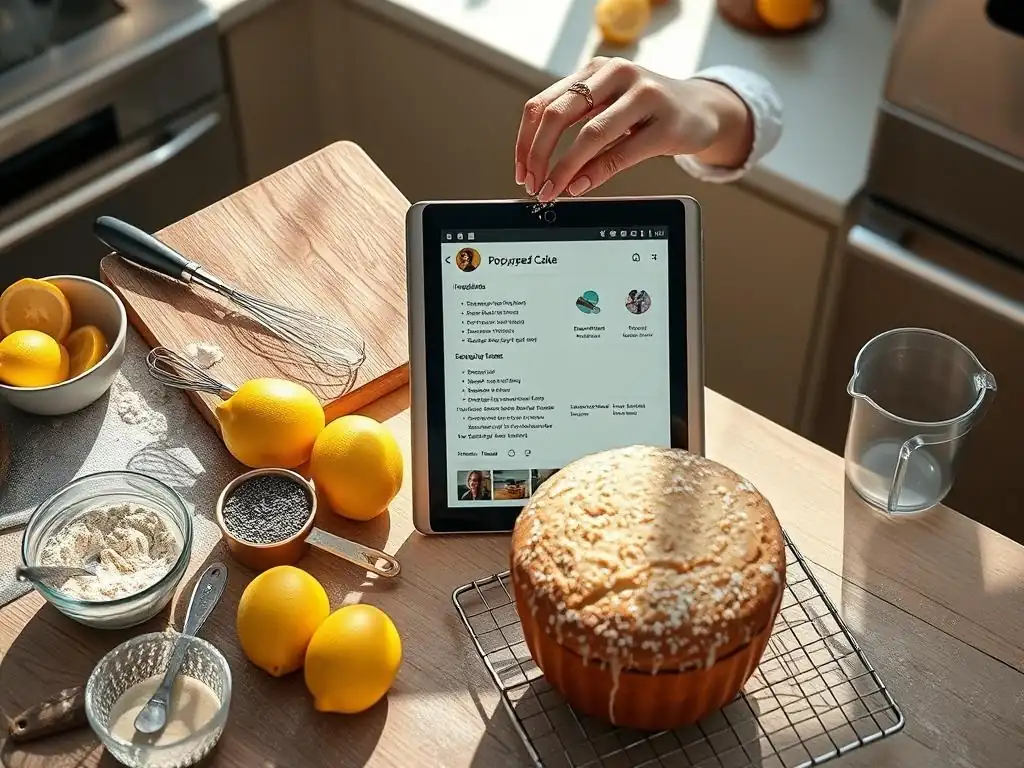
Discover New Baking Techniques and Trends with Curated Recipe Collections
Recipe organization apps aren't just for storing your recipes; many also offer access to curated collections or featured recipes from the app's community or editors. This can be a fantastic source of inspiration for home bakers looking to try something new. Instead of endlessly scrolling through websites, you might find carefully selected recipes highlighting seasonal ingredients, specific baking techniques (like mastering croissants or tempering chocolate), or current baking trends (like mirror glaze cakes or sourdough discard recipes).
These curated collections can introduce you to recipes and techniques you might not have found otherwise, pushing you to expand your baking repertoire. Some apps even group recipes by skill level or type of challenge, making it easier to find projects that match your current abilities or help you learn a specific skill you're working on. It transforms the app from a simple database into a dynamic source of culinary ideas.
Learn from Other Bakers through Community Features and Recipe Reviews
Certain recipe organization apps incorporate community features, allowing users to share their own recipes, rate and review recipes from others, and even comment on specific techniques or results. This creates a valuable learning environment for home bakers. You can see how others have adapted a recipe, read tips on troubleshooting common issues (like why a cake didn't rise or cookies spread too much), or get feedback on your own shared creations.
Reading reviews can help you decide whether a new recipe is worth trying and provide insights into potential pitfalls or successful modifications. Interacting with other bakers, even indirectly through reviews and ratings, can build confidence and provide valuable knowledge that goes beyond the written recipe instructions. It leverages the collective experience of the user base to enhance your own baking journey.
Track Your Baking Progress and Refine Your Skills
Some recipe organization apps allow you to add detailed notes to each recipe, including modifications you made, results, baking times, oven temperature adjustments, and even photos of the final product. Over time, this creates a personalized log of your baking history. By reviewing these notes, you can track your progress, identify what worked well (or didn't), and refine your techniques.
Did adding an extra egg yolk make your cookies chewier? Did baking that bread loaf for 5 minutes longer at a slightly lower temperature result in a better crust? Your notes become a personal baking journal within the app, helping you learn from each attempt and consistently improve your results. This systematic tracking turns every baking session into a learning opportunity, helping you move from novice to expert by building on past experiences, all facilitated by your digital recipe management system.
Bake With Ease: Embrace Digital Recipe Management for a Smoother Baking Experience
Frequently Asked Questions
What are the main benefits of using recipe organization apps for bakers?
Recipe organization apps offer several benefits, including the ability to easily store and search for recipes, reduce clutter from physical cookbooks, and plan baking projects more efficiently.
How do recipe organization apps help with meal planning in the context of baking?
These apps allow bakers to save recipes they want to try, categorize them by type (e.g., cakes, breads), and create baking schedules based on ingredient availability and time constraints.
Are recipe organization apps suitable for both beginner and experienced bakers?
Yes! They're helpful for beginners to learn new techniques and keep track of recipes, while experienced bakers can use them to manage their vast collections and experiment with variations.
Can recipe organization apps help with ingredient management and grocery shopping?
Many apps include features to track ingredients needed for recipes, create shopping lists based on those ingredients, and even suggest substitutions if something is unavailable.
Do recipe organization apps offer features for sharing recipes with other bakers?
Absolutely! Many apps allow you to share your favorite recipes with friends and family, collaborate on baking projects, and even discover new recipes from other users in the app's community.
Final Reflection: The Sweet Taste of Organized Baking
The digital age has revolutionized baking, yet many bakers still grapple with the chaos of scattered recipes. Efficient recipe management isn't just about convenience; it's about unlocking creativity and elevating the baking experience. This article explored how recipe organization apps can transform the way bakers approach their craft, moving from frustrating searches to effortless inspiration.
The impact of organized digital recipe collections extends beyond simple convenience; it fosters a deeper connection with the art of baking. By streamlining the process, these apps allow bakers to focus on the creative aspects, experimenting with new techniques and flavors without the burden of misplaced index cards or crumpled printouts. As Julia Child wisely said, >“Find something you’re passionate about and keep tremendously interested in it.” Recipe organization apps help bakers maintain that passion by removing the frustrating roadblocks that often stifle creativity.
Now, consider your own baking journey. Do you find yourself constantly searching for that perfect brownie recipe, or struggling to recall the precise measurements for your grandmother's apple pie? Take a moment to reflect on how a well-organized digital recipe collection could enhance your baking experience. Embrace the opportunity to declutter your physical and mental space, freeing yourself to explore the boundless possibilities of the culinary arts. Download a recipe app today and discover the sweet taste of organized baking – a journey of both efficiency and inspiration.
Unlock Your Baking Potential: Organize and Flourish!
Thanks for taking the time to explore the world of recipe organization! We hope you've discovered how much easier (and more enjoyable!) baking can be with the right tools. Now it's time to put this knowledge into practice.
- Prioritize your recipe collection: Start by organizing your favorite recipes into a dedicated app or digital system. This is the single most impactful step you can take towards effortless baking.
- Share your baking triumphs (and challenges!): Join our BakeWithEase community and share your recipe organization journey. Let's inspire each other!
- Discover new baking adventures: Explore different recipe organization methods and find what works best for your baking style. You might be surprised by what you uncover!
Ready to transform your baking routine? What's the first recipe you're going to organize?