Keep Your Recipes Safe: CloudBased Apps for Baking Notes


Welcome to BakeWithEase, your culinary companion in the world of baking!
Tired of losing your prized family recipes or scribbled baking notes? Discover the secret to organized and accessible baking with our guide to cloud-based baking recipe apps. We'll show you how these innovative tools can revolutionize your kitchen, keeping your cherished recipes safe and readily available, wherever your baking adventures take you. Intrigued? Let's dive in and explore the best options for keeping your baking secrets secure and at your fingertips!
- Why Cloud-Based Baking Recipe Apps are Essential for Home Bakers
- Top Cloud-Based Baking Recipe Apps for 2024: A Comparative Review
-
Key Features to Look for in Cloud-Based Baking Recipe Apps
- Recipe Import and Export: Seamlessly Transfer Your Existing Recipes
- Recipe Scaling and Conversion: Adjusting Recipes for Different Batch Sizes
- Nutritional Information and Analysis: Tracking Calories and Macros in Your Baked Goods
- Search and Tagging: Easily Find Specific Recipes in Your Collection
- Grocery List Generation: Streamlining Your Baking Prep
- Collaboration and Sharing: Sharing Your Baking Secrets with Friends and Family
- Choosing the Right Cloud-Based Baking Recipe App for Your Needs
- Sharing Your Baking Recipes with Cloud-Based Apps
-
Frequently Asked Questions
- How do cloud-based baking recipe apps help keep my recipes safe?
- What are the key benefits of using a cloud-based app over a traditional recipe book?
- Are cloud-based baking recipe apps suitable for beginner bakers?
- Can I access my baking recipes offline with a cloud-based app?
- What types of recipes can I store in a cloud-based baking app?
- Final Reflection: The Sweetness of Shared Recipes in the Cloud
- Unlock Your Baking Potential: Organize & Share Your Recipes Today!
Why Cloud-Based Baking Recipe Apps are Essential for Home Bakers
Losing Recipes is a Baker's Nightmare: The Need for Digital Organization
Every home baker knows the frustration of a lost recipe. Whether it's a beloved grandmother's chocolate chip cookie recipe jotted on a fading index card, or a brilliant sourdough technique scribbled in a flour-dusted notebook, these culinary treasures are vulnerable. Spills are common in the kitchen – a splash of milk, a dusting of flour, or even a full-blown batter explosion can render a physical recipe illegible in moments. Beyond physical damage, notebooks get misplaced, digital files can be accidentally deleted, and links saved in browser bookmarks can disappear when a website changes.
Imagine you've finally perfected a delicate macaron recipe after countless attempts, noting down precise measurements and techniques. If that single piece of paper vanishes or the digital document on your old laptop becomes inaccessible, all that hard work is lost. This potential for loss highlights the critical need for a robust system to safeguard your recipes. Relying on scattered notes or single-device storage simply isn't secure enough for the serious or even casual baker who values their collection.
The Benefits of Cloud Storage for Your Baking Creations: Access, Backup, and Sharing
Cloud-based baking recipe apps fundamentally change how you manage your culinary notes. The primary advantage is security through automatic backup. When your recipes are stored in the cloud, they reside on secure, remote servers, not just on your individual device. This means if your phone breaks, your computer crashes, or your tablet goes missing, your entire recipe collection remains safe and sound in the cloud, accessible once you log in from a new device. This peace of mind is invaluable for any baker.
Beyond backup, cloud storage offers unparalleled accessibility. You can access your recipes from virtually any device with an internet connection – your phone while grocery shopping, your tablet in the kitchen, or your laptop when planning. This eliminates the need to transfer files manually or remember which notebook holds which recipe. Furthermore, many cloudbased baking recipe apps facilitate easy sharing. Want to send your famous banana bread recipe to a friend? A few taps can share it directly through the app or via a link, making collaboration and sharing your baking passion simpler than ever.
Understanding Cloud-Based Recipe Management: How it Works and Why it Matters
Cloud-based recipe management refers to using software applications that store your recipe data on internet-connected servers (the "cloud") rather than solely on the device you're using. When you add a new recipe, edit an existing one, or make notes, the app syncs this information to your secure cloud account. This synchronized data is then available across all your devices where you're logged into the same account. The technology relies on robust data centers that handle the storage and synchronization, ensuring your information is usually redundant (copied in multiple places) and constantly updated.
For bakers, this approach matters immensely. It means no more emailing recipes to yourself or manually backing up files to external drives. The system handles it automatically in the background. Cloudbased baking recipe apps offer features specifically tailored for culinary use, such as ingredient scaling, unit conversion, grocery list generation, and often, the ability to import recipes directly from websites. This integrated approach, powered by cloud technology, transforms a scattered collection of notes into a highly organized, accessible, and secure digital recipe box, ready whenever inspiration strikes.
Top Cloud-Based Baking Recipe Apps for 2024: A Comparative Review
1. Recipe Keeper: Comprehensive Recipe Management for Bakers
Recipe Keeper is a popular choice among home cooks and bakers for its balance of features and a user-friendly interface. It's designed to consolidate recipes from various sources into a single, organized digital cookbook. Users can manually enter recipes, import them from websites using the built-in browser, or even scan recipes from books and magazines using optical character recognition (OCR), although OCR accuracy can vary. For bakers, the ability to easily add detailed instructions, notes, and even photos of their finished creations is a major plus.
The app offers robust features like ingredient scaling, allowing you to easily adjust a recipe for a different yield – turning a cookie recipe designed for 2 dozen into one for 4 dozen, for example, instantly recalculating all ingredient amounts. It also includes meal planning capabilities, which bakers can adapt to plan their baking projects for the week or month, and a grocery list feature that consolidates ingredients from selected recipes. With over 200,000 estimated active users across platforms, it's a widely adopted solution for digital recipe management.
Recipe Keeper Features: Recipe Import, Scaling, and Meal Planning
Recipe Keeper excels in bringing recipes into the app. Its web import function works reliably on many popular recipe sites. For those cherished family recipes, the manual entry is straightforward, allowing fields for title, yield, prep time, cook time, ingredients, instructions, and notes. A particularly useful feature for bakers is the ability to attach multiple photos to a recipe, perfect for documenting different stages of a complex bake or showcasing the final result. The scaling feature is intuitive; selecting 1/2x, 2x, or a custom multiplier instantly updates ingredient quantities, saving valuable time and reducing errors when adjusting batch sizes.
While primarily a recipe organizer, Recipe Keeper's integrated meal planner can be repurposed by bakers to schedule their baking tasks. You could plan which breads to bake on Monday, which cookies on Tuesday, and so on. The grocery list feature automatically pulls ingredients from planned items or manually added recipes, consolidating duplicates and allowing you to check items off as you shop. This streamlines preparation for baking sessions, ensuring you have all the necessary ingredients on hand.
Recipe Keeper Pricing: One-Time Purchase for Lifetime Access
Unlike many cloud-based baking recipe apps that rely on monthly or annual subscriptions, Recipe Keeper operates on a one-time purchase model per platform. This means you buy the app for iOS, Android, Windows, or macOS individually. While this can add up if you need it on multiple types of devices (e.g., an iPhone and a Windows PC), for users sticking to one or two platforms, it represents a significant cost saving over time compared to recurring fees. Approximate costs are around $5-10 per platform license, making it a cost-effective long-term solution for managing your recipes in the cloud.
The one-time purchase includes access to the cloud sync service for backing up and syncing your recipes across devices linked to your account on that specific platform. There are no ongoing subscription fees for the core features or cloud storage, a model highly appreciated by users who prefer a single investment for lifetime access to their recipe collection. This pricing structure makes it an attractive option for bakers looking for a permanent home for their digital recipes without recurring costs.
Recipe Keeper Alternatives: Paprika Recipe Manager
When considering Recipe Keeper, Paprika Recipe Manager is its most direct competitor and often discussed alternative. Both apps offer robust web clipping, recipe editing, scaling, and grocery list features, operating on a per-platform purchase model with cloud sync included. The choice often comes down to subtle differences in user interface, web importer performance on specific sites, and feature implementation.
Paprika is often praised for its exceptionally reliable web importer and powerful search capabilities, while Recipe Keeper is noted for its straightforward design and scanning feature. Both are excellent cloudbased baking recipe apps, and potential users might consider trying a demo or free version (if available) to see which interface and workflow they prefer before committing to a purchase. Other options exist, but Paprika and Recipe Keeper represent the top tier for dedicated, paid recipe management applications.
2. Copy Me That: Simple and Free Recipe Saving and Organization
Copy Me That is a popular cloud-based recipe app known for its simplicity and generous free tier. Its primary function is to make saving recipes from the web incredibly easy. With a browser extension or share-sheet integration on mobile, users can quickly "copy" a recipe from almost any website, and the app attempts to intelligently extract the ingredients, instructions, and other details. This ease of import is a major draw for bakers who frequently find new recipes online.
The app provides basic organizational tools, allowing users to categorize recipes and add notes. It also includes a simple grocery list feature based on saved recipes. Copy Me That's strength lies in its accessibility and cost – the core functionality, including unlimited recipe storage in the cloud, is entirely free. This makes it an excellent entry point for bakers looking to transition from physical notes or scattered digital files to a cloudbased baking recipe app without any financial commitment.
Copy Me That Features: Web Import, Recipe Editing, and Grocery Lists
Copy Me That's signature feature is its streamlined web importing. By simply browsing a recipe page online and activating the "Copy Me That" function, the app usually extracts the recipe's core components within seconds. While the extraction isn't always perfect for complex recipes or unusual website layouts, it provides a solid starting point that can then be easily edited within the app. Users can adjust ingredients, correct instructions, add personal notes, and upload photos.
The app allows for basic categorization to keep your baking recipes organized (e.g., "Cakes," "Cookies," "Breads"). You can select multiple recipes and generate a consolidated grocery list, which can be helpful when planning a baking spree. While it may lack the advanced scaling or meal planning features of more complex apps, its focus on easy saving and organization makes it highly effective for bakers who primarily find recipes online and need a simple, accessible cloud storage solution.
Copy Me That's Free Tier: Unlimited Recipe Storage and Basic Features
One of the most compelling aspects of Copy Me That is its free offering. Users can store an unlimited number of recipes in the cloud without paying anything. This includes the core features of web importing, manual recipe entry, editing, basic organization, and grocery list generation. For many home bakers, this free tier provides more than enough functionality to consolidate and secure their digital recipe collection. The cloud storage ensures your recipes are backed up and accessible across devices without cost.
The free version is supported by advertisements within the app and on the website. While these ads are generally unobtrusive, they are the main differentiator between the free and premium tiers. The unlimited storage is a significant benefit, especially when compared to free tiers of other services that might limit the number of recipes you can save. It makes Copy Me That a very attractive option for bakers starting their journey with cloudbased baking recipe apps.
Copy Me That Premium: Removes Ads and Adds Advanced Features
For users who prefer an ad-free experience or require additional features, Copy Me That offers a premium subscription. This paid tier removes all advertisements from the app and website. Beyond ad removal, the premium version typically includes features like enhanced printing options, the ability to share recipes privately with friends and family (rather than just publicly), and potentially other advanced organizational or importing capabilities.
The premium subscription is relatively affordable, often priced around $2-3 per month or $20-30 per year, though pricing can vary. This cost provides a cleaner user interface and access to features that enhance sharing and printing, which can be valuable for bakers who frequently share recipes or print them out for use in the kitchen. While the free tier is sufficient for basic needs, the premium option offers a more polished experience within this cloudbased baking recipe app.
BigOven is more than just a recipe organizer; it's a social network centered around food and cooking. While it offers robust tools for saving and managing your own recipes in the cloud, a significant part of its appeal lies in its vast community-contributed recipe database (boasting over a million recipes) and social features. For bakers, this means access to a huge variety of baking recipes shared by others and the ability to share their own creations with an engaged audience.
The app includes standard features like web clipping, manual entry, and grocery lists, but integrates them with social elements. You can follow other users, comment on recipes, and see what others are baking. It also has unique tools like a "Use Up Leftovers" feature, which, while not directly for baking, shows the platform's innovative approach to recipe utility. Its cloud-based nature ensures your personal recipe uploads are saved and accessible across devices, integrated within the larger social platform.
BigOven Features: Recipe Sharing, Grocery Lists, and Leftover Management
BigOven's feature set is diverse, blending personal organization with community interaction. Users can save recipes from the web or manually add their own private recipes to their cloud account. These private recipes are backed up and synced like in other cloudbased baking recipe apps. However, users also have the option to share their recipes publicly with the BigOven community, allowing other members to view, save, and comment on them. This is fantastic for bakers who want to share their successful creations.
The app includes a standard grocery list generator that pulls ingredients from recipes saved to your meal plan or simply added manually. A unique feature is "Use Up Leftovers," where you input up to three ingredients you have on hand, and BigOven suggests recipes from its database that use those ingredients. While perhaps less applicable directly to baking (unless you have leftover buttermilk or chocolate chips! ), it's an example of the platform's broad utility. The focus on recipe discovery and sharing sets it apart.
BigOven Integration: Connecting with Other Bakers and Food Enthusiasts
The social dimension is a core component of BigOven. Users can create profiles, follow friends or interesting cooks, and build a network. You can browse popular recipes, explore collections curated by the BigOven team or other users, and participate in discussions in comments sections. For bakers, this provides an opportunity to connect with others who share their passion, ask questions about techniques, get feedback on their recipes, and discover new trends in the baking world.
This community integration means your cloud-based recipe storage is part of a larger ecosystem. When you save a recipe shared by another user, it's added to your private collection, backed up in the cloud. When you upload your own recipe and choose to make it public, it becomes discoverable by the community. This blend of personal organization and social connectivity makes BigOven a unique option among cloudbased baking recipe apps.
Maximizing BigOven for Baking: Utilizing the Community Features
Bakers can leverage BigOven's community features to enhance their skills and find inspiration. Instead of just saving recipes found elsewhere, explore the baking categories within BigOven's database. Look for variations on classic recipes, tips shared in recipe notes or comments, and connect with experienced bakers. Upload your own successful baking recipes – perhaps your signature loaf of bread or a unique cake design – and get feedback from other users.
Participate in groups or discussions related to baking if the platform offers them. Use the social feed to see what others are baking and find new recipes to try. While the core function is saving recipes to the cloud, the real power for bakers in BigOven comes from engaging with the community, turning recipe management into a more interactive and inspiring experience.
4. Paprika Recipe Manager: A Powerful and Versatile Recipe Organizer
Paprika Recipe Manager is consistently ranked as one of the best recipe apps available, widely praised for its robust feature set, reliable performance, and excellent web importer. It is designed for serious home cooks and bakers who need powerful tools for organizing, planning, and cooking. Like Recipe Keeper, it's a premium, dedicated recipe management application that utilizes cloud sync for backup and cross-device access.
Paprika offers a comprehensive suite of tools, including a highly effective web clipping tool, detailed menu planning capabilities, grocery list generation with pantry integration, and adjustable timers. Its strength lies in its consistency and reliability across multiple platforms, making it a favorite for users who want seamless access to their cloudbased baking recipe apps whether they are on an iPhone, Android tablet, Windows desktop, or Mac laptop.
Paprika Features: Web Clipping, Menu Planning, and Pantry Inventory
Paprika's web clipping feature is often cited as one of the best, capable of extracting recipe information accurately from a vast number of websites. Once saved, recipes can be easily edited to add personal notes, modify ingredients, or correct instructions. The app includes powerful search and organization tools, allowing users to categorize, tag, and search their collection by keyword, ingredient, or source.
For planning, Paprika includes a comprehensive menu planner (which can be used for baking schedules) and a pantry inventory feature. The pantry helps you keep track of ingredients you have on hand, and you can add items directly from recipes to your grocery list. The app also offers built-in timers that detect cooking times within your recipe instructions, which is incredibly useful when juggling multiple baking tasks. These features make Paprika a highly functional cloudbased baking recipe app for detailed organization.
Paprika's Cross-Platform Sync: Access Your Recipes on Any Device
A major selling point for Paprika is its seamless cross-platform synchronization. Available as separate purchases on iOS, Android, macOS, and Windows, the Paprika Cloud Sync service (included with the purchase) keeps your entire recipe collection updated across all your devices. Add a new cookie recipe on your computer, and it's instantly available on your phone and tablet. Edit a bread recipe on your tablet in the kitchen, and the changes sync back everywhere.
This reliable sync is crucial for bakers who use different devices at various stages of the process – finding recipes on a computer, grocery shopping with a phone, and baking with a tablet. The cloud sync ensures you always have the most current version of your recipes at your fingertips, backed up securely off-site. This robust synchronization is a key reason many users choose Paprika as their primary cloudbased baking recipe app.
Paprika vs. Recipe Keeper: Which App is Right for You?
Choosing between Paprika and Recipe Keeper often comes down to specific feature preferences and user interface design. Both are premium cloudbased baking recipe apps offering excellent organization, web import, scaling, and grocery lists with a one-time purchase model per platform.
- Paprika is often preferred for its superior web importer, powerful search, and robust pantry/menu planning features. Its interface is functional and efficient.
- Recipe Keeper is liked for its slightly simpler interface, the ability to scan recipes, and often a lower price point per platform.
If the best possible web clipping and detailed planning tools are paramount, Paprika might be the better fit. If scanning physical recipes or a slightly more streamlined interface is preferred, Recipe Keeper could be the choice. Both offer reliable cloud sync and are excellent investments for securely managing your baking recipes digitally.
Key Features to Look for in Cloud-Based Baking Recipe Apps
Recipe Import and Export: Seamlessly Transfer Your Existing Recipes
A crucial feature for any cloud-based baking recipe app is the ability to get your existing recipes into the system easily. Look for apps that offer multiple import methods:
- Web Clipper: This is essential for saving recipes from websites with minimal effort. A good web clipper should accurately extract ingredients, instructions, and yield from most common recipe formats.
- Manual Entry: You'll need a straightforward way to type in those family recipes from cards or notebooks. The interface should allow for clear separation of ingredients, steps, and notes.
- Scanning (OCR): Some apps offer to scan text from photos of physical recipes, which can save typing time, though accuracy varies.
Equally important is the ability to export your recipes. While the goal is cloud storage, you might want to print recipes for offline use, share them in a standard format (like PDF), or potentially move your collection to a different app in the future. Look for options to export individual recipes or your entire database in a usable format.
Recipe Scaling and Conversion: Adjusting Recipes for Different Batch Sizes
Bakers frequently need to adjust recipe yields. Whether you're scaling down a professional recipe for a home oven or doubling a cookie batch for a party, manually recalculating every ingredient quantity is tedious and prone to error. A good cloudbased baking recipe app should offer an automatic scaling feature.
This feature allows you to input a desired yield (e.g., "make 50% of the original recipe" or "make 3x the original recipe"), and the app instantly adjusts all ingredient amounts. Some advanced apps also handle unit conversions (e.g., converting grams to ounces or milliliters to cups), which is incredibly helpful when working with recipes from different regions or preferring specific measurement types. This feature alone can save significant time and improve accuracy in the kitchen.
Nutritional Information and Analysis: Tracking Calories and Macros in Your Baked Goods
While not essential for all bakers, tracking nutritional information can be important for those baking for specific dietary needs, managing their own intake, or creating recipes to sell. Some cloud-based baking recipe apps offer features to calculate nutritional data.
Typically, this involves either manually entering nutritional facts if you have them or connecting to a database that estimates values based on ingredients. While calculating precise nutrition for a complex baked good can be challenging, these features can provide useful approximations for calories, carbohydrates, protein, and fats per serving. If you cater to dietary restrictions or are mindful of macros, look for an app that integrates this capability.
Search and Tagging: Easily Find Specific Recipes in Your Collection
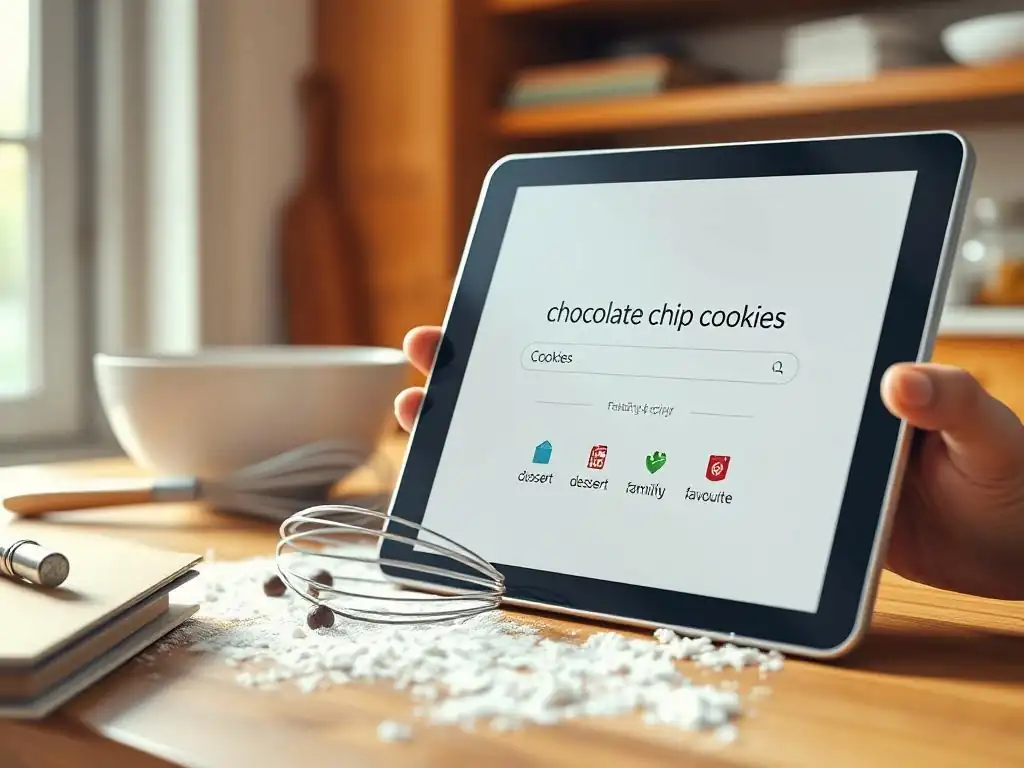
As your digital recipe collection grows, finding the specific recipe you need becomes critical. Effective search and organization tools are paramount. Look for apps that offer:
- Keyword Search: The ability to search not just by title, but also by ingredients, instructions, notes, or source. Searching for "chocolate chips" should bring up every recipe that uses them.
- Tagging/Categories: A flexible system to assign custom tags (e.g., #vegan, #gluten-free, #holiday, #quick) or organize recipes into categories (e.g., "Cookies," "Yeast Breads," "Cakes").
A combination of powerful search and a well-structured tagging system allows you to quickly narrow down your options, whether you're looking for all your apple pie recipes or need a quick dessert recipe using only pantry staples. This prevents your cloud-based baking recipe app from becoming a disorganized digital shoebox.
Grocery List Generation: Streamlining Your Baking Prep
Planning a baking session often involves needing ingredients for multiple recipes. A built-in grocery list feature is a major convenience. A good app will allow you to select one or more recipes and automatically compile a shopping list, consolidating duplicate ingredients (e.g., if two recipes call for sugar, it adds the total amount needed).
Look for features that allow you to:
- Edit the list (add non-recipe items, adjust quantities).
- Check off items as you shop.
- Sort the list (e.g., by recipe or by grocery aisle category).
This streamlines the preparation phase, ensuring you don't forget crucial ingredients and saving you time at the store – allowing you more time for the actual baking!
Collaboration and Sharing: Sharing Your Baking Secrets with Friends and Family
One of the joys of baking is sharing the results, and often, the recipes themselves. Cloud-based baking recipe apps facilitate this sharing in various ways. Some apps allow you to share individual recipes via email, link, or export. Others have built-in social features where you can share recipes publicly with a community (like BigOven) or privately with specific users within the app.
If you frequently share recipes with family, friends, or fellow baking enthusiasts, consider an app with robust sharing options. Some apps even allow collaborative features, letting multiple users contribute to a shared recipe collection, which can be great for family recipe archives or baking clubs. Ensure the sharing method is convenient for both you and the recipient.
Choosing the Right Cloud-Based Baking Recipe App for Your Needs

Consider Your Baking Style: Casual Baker vs. Serious Enthusiast
Your baking habits should heavily influence your choice of a cloud-based baking recipe app.
- Casual Bakers: If you only bake occasionally, primarily use recipes found online, and don't need complex features like scaling or detailed meal planning, a simple, free app like Copy Me That might be perfectly sufficient. Its ease of web clipping and free unlimited storage are major advantages.
- Serious Enthusiasts: If you bake frequently, adapt recipes, develop your own, use a mix of online and physical sources, and want advanced organization and planning tools, a paid app like Paprika or Recipe Keeper is likely a better investment. Their robust feature sets, reliable sync, and lack of ads provide a more powerful and streamlined experience for managing a large, active collection.
Understanding your typical workflow – where you find recipes, how you use them, and what devices you use – will help you identify which app features are essential and which are nice-to-haves.
Budget Considerations: Free vs. Paid Options and Their Value
Cloud-based baking recipe apps come in various pricing models:
- Free: Apps like Copy Me That offer core functionality at no cost, often supported by ads. They are great for getting started and cover basic needs like saving and organizing.
- One-Time Purchase: Apps like Paprika and Recipe Keeper charge a single fee per platform. This can be more expensive upfront, especially if you need it on multiple types of devices, but offers lifetime access without recurring costs and usually includes cloud sync.
- Subscription: Some apps use monthly or annual fees. While less common for dedicated recipe apps compared to broader meal planning services, it's a model to be aware of. Subscriptions often ensure continuous updates and support.
Evaluate the value proposition of each. Is the convenience of no ads and advanced features worth a one-time fee or a small recurring cost? For many dedicated bakers, the time saved and the security of their collection make a paid cloudbased baking recipe app a worthwhile investment, often costing less than a few baking ingredients over the course of a year.
Device Compatibility: Ensuring the App Works on Your Preferred Devices
Before committing to a cloud-based baking recipe app, check which platforms it supports. Do you primarily use an iPhone and a Windows computer? An Android tablet and a Mac? Ensure the app has native versions for all the devices you plan to use in your baking process (finding, planning, shopping, baking).
Critically, confirm that the cloud sync works seamlessly across these platforms. The ability to add a recipe on your computer and access it instantly on your tablet in the kitchen is a major benefit of cloud-based storage. Don't assume an app available on one platform is available or syncs well with another; check the developer's website for details on supported devices and synchronization capabilities for their cloud service.
User Interface and Ease of Use: A User-Friendly App for Stress-Free Baking
Ultimately, the best cloud-based baking recipe app for you is one you'll actually use consistently. A clunky or confusing interface can be a significant deterrent, making the process of saving and organizing recipes feel like a chore rather than a help.
Look for apps with an intuitive design, clear navigation, and a logical workflow for adding, finding, and using recipes. Many apps offer free trials or limited free versions that allow you to test the interface before purchasing. Spend some time using the app for typical tasks – importing a recipe, creating a grocery list, adjusting scaling – to see if it feels comfortable and efficient for your baking style. A user-friendly app makes managing your recipes a stress-free part of your baking journey.
Creating and Sharing Public Recipe Collections
Some cloud-based baking recipe apps, particularly those with a social component like BigOven, allow users to make their saved recipes or curated collections public. This feature is fantastic for bakers who want to share their passion and creations with a wider audience. You can upload your unique recipes, add photos, and write detailed instructions, then choose to share them with the app's community or even generate a link to share elsewhere.
This is a great way to build a reputation, get feedback on your recipes, and contribute to the shared knowledge base of baking. While not all cloudbased baking recipe apps offer this public sharing feature, it's a significant benefit for those who see baking as a social activity they want to share beyond their immediate circle.
Engaging with Online Baking Communities
Apps that integrate social features provide a direct line to online baking communities. Within platforms like BigOven, you can browse recipes shared by other users, leave comments, ask questions about techniques or ingredients, and connect with fellow baking enthusiasts. You can follow bakers whose style or recipes you admire and get inspiration from their activity.
This engagement turns your cloud-based recipe app into a platform for learning and connection. Instead of just storing recipes, you're participating in a dynamic community, discovering new ideas, and potentially improving your own baking skills through interaction and shared knowledge. This community aspect adds significant value beyond just simple digital storage.
Protecting Your Recipe Copyrights
When sharing recipes, particularly if you've developed original ones, it's natural to wonder about copyright. In most jurisdictions, a simple list of ingredients is generally not protected by copyright. However, the unique instructions, method descriptions, accompanying text (like personal stories or tips), and photographs associated with a recipe can be copyrighted.
When using cloud-based baking recipe apps with sharing features, be mindful of their terms of service regarding content you upload. If you're sharing original recipes you've developed, consider adding a note about copyright or usage permissions within the recipe notes. For commercially sensitive recipes, exercise caution with public sharing features. While these apps provide great platforms for sharing, understand what aspects of your recipe are protectable and share responsibly, especially if you plan to publish or monetize your recipes elsewhere.
Frequently Asked Questions
How do cloud-based baking recipe apps help keep my recipes safe?
Cloud-based apps offer automatic backups and syncing across devices, ensuring your recipes are protected from loss due to device failure or accidental deletion. This prevents the frustration of losing cherished baking traditions.
What are the key benefits of using a cloud-based app over a traditional recipe book?
Cloud-based apps provide easy search functionality, collaborative features for sharing recipes, and accessible storage on any device, offering more convenience and organization than a physical book.
Are cloud-based baking recipe apps suitable for beginner bakers?
Yes, many apps offer user-friendly interfaces, step-by-step instructions, and helpful tips that cater specifically to beginner bakers, making the learning process easier and more enjoyable.
Can I access my baking recipes offline with a cloud-based app?
Some apps offer offline access to recipes once they've been downloaded, allowing you to bake even without an internet connection. Check the app's features to confirm its offline capabilities.
What types of recipes can I store in a cloud-based baking app?
You can store virtually any type of recipe, including pastries, breads, cakes, and cookies, often with the ability to categorize and tag them for easy retrieval and organisation.
The digital age has revolutionized how we approach even the most traditional of tasks, and baking is no exception. The ease and accessibility of cloud-based recipe management apps are transforming the way we preserve, share, and discover culinary creations, making the once-fragile legacy of handwritten recipes far more resilient and accessible. This shift isn't just about convenience; it's about fostering a vibrant community of bakers connected through shared passion and readily available inspiration.
The impact of these apps extends beyond simple organization; they've created a new space for culinary creativity and collaboration. These platforms allow for the seamless sharing of family recipes across generations, preventing the loss of cherished traditions. They also foster a sense of community, connecting bakers worldwide through shared experiences and the joy of creating delicious treats. The best recipes are often the ones passed down, whispered secrets of family kitchens. Now, those secrets can be shared with the world.
This sentiment speaks to the power of these apps to preserve and propagate culinary heritage in a way never before possible.
Consider the recipes you hold dear, the ones that evoke memories and bring joy. Now, imagine those recipes safely stored, easily accessible, and readily shareable with loved ones, regardless of distance. You have the power to safeguard your culinary legacy and contribute to a growing community of passionate bakers. Embrace the technology, organize your recipes, and share the sweetness. Let the cloud be your pantry, preserving not just ingredients, but the heart and soul of your baking journey.
Thanks for taking the time to explore the world of cloud-based recipe management! We hope you now feel confident in choosing the right app to keep your baking secrets safe and organized. Ready to take the next step?
- Start your free trial of your favorite app: Don't let those handwritten recipes gather dust any longer! This is the single most important step to a more streamlined baking experience.
- Share your favorite recipes with friends: Spread the baking joy and build a community of fellow enthusiasts.
- Explore our community forum: Discover more tips and tricks from other passionate bakers like yourself – we’d love to hear about your experience!
What innovative baking project will you tackle first now that your recipes are beautifully organized?