
Scale Up Your Success: Apps with Builtin Ingredient Scaling

Welcome to BakeWithEase, where we believe everyone can bake like a pro! Ever found a recipe that's perfect, but the quantities are all wrong? This week, we're diving into the world of baking ingredient scaling apps, revealing the tools that will help you effortlessly adjust your recipes for any occasion. Curious to see how these apps can transform your baking experience? Let's get started!
- Level Up Your Baking: Apps with Built-in Ingredient Scaling
- Why Ingredient Scaling Apps are Essential for Baking
- Top Ingredient Scaling Apps
- Reviews of Leading Apps
- Choosing the Right Ingredient Scaling App: Factors to Consider
- Maximizing Your Baking with Ingredient Scaling Apps: Tips
- Conclusion: Perfecting Baking with Ingredient Scaling Apps
- Frequently Asked Questions
- Final Reflection: The Power of Precision in Baking
- Unlock Your Baking Potential: Scale Recipes Effortlessly!
Level Up Your Baking: Apps with Built-in Ingredient Scaling
Why Ingredient Scaling Apps are Essential for Baking
The Inaccuracy of Manual Recipe Conversion
Manually scaling a baking recipe can feel like navigating a minefield. While simple doubling might seem straightforward, even that can lead to miscalculations, especially with odd measurements like 3/4 cup or when converting between units. The risk of error multiplies when you need to scale a recipe down to a third or a quarter, dealing with fractions like 1/6 or 1/8 teaspoon.
Imagine halving a recipe that calls for 3/4 cup of sugar; the correct amount is 3/8 cup, which can be tricky to measure accurately without specific tools. Similarly, converting fluid ounces to grams for flour or butter by hand often involves looking up approximate densities, which can vary slightly and introduce small errors that compound in sensitive baking ratios.
These manual errors, though seemingly small, can have significant consequences in baking, where precision is paramount. A slightly incorrect ratio of flour to liquid or leavening agent can drastically affect texture, rise, and overall outcome. For example, adding just a little too much flour when scaling down a cookie recipe can result in dry, crumbly cookies instead of soft, chewy ones.
Relying on guesswork or rough approximations for complex scaling scenarios, like adapting a professional bakery recipe designed for 100 servings down to a home batch of 10, is almost guaranteed to yield inconsistent or failed results. This is where dedicated baking ingredient scaling apps become invaluable tools for any home baker serious about consistent quality.
How Ingredient Scaling Apps Ensure Precision
Baking ingredient scaling apps remove the guesswork from adjusting recipe quantities by employing precise mathematical algorithms. When you input a recipe and specify the desired yield (say, half or double the original), the app calculates the exact new amount for every ingredient, handling complex fractions and unit conversions with perfect accuracy. If a recipe calls for 1 1/3 cups of flour and you need to scale it down by 40%, the app won't struggle with the calculation; it will provide the precise required amount, often allowing you to switch between units like cups, ounces, or grams for convenience and accuracy.
These apps often go beyond simple multiplication or division. Some advanced baking ingredient scaling apps incorporate databases of common ingredient densities, allowing for more accurate conversions between volume (like cups or tablespoons) and weight (grams or ounces), which is crucial for professional-level baking consistency. For instance, converting 1 cup of all-purpose flour to grams might yield approximately 120 grams, while 1 cup of granulated sugar is closer to 200 grams.
A good app understands these differences and performs the weight conversion correctly after scaling, ensuring your scaled recipe maintains the intended balance regardless of the unit you prefer to measure in. This level of detail significantly reduces the potential for human error inherent in manual calculations, leading to consistently better baking results.
Benefits: Accuracy, Efficiency, and Reduced Waste
Using baking ingredient scaling apps offers a multitude of benefits that can transform your baking experience. The most significant advantage is enhanced accuracy. By performing precise calculations for every ingredient, these apps eliminate the common pitfalls of manual scaling, ensuring that the delicate balance of your recipes remains intact, whether you're making a single loaf of bread or a dozen cupcakes. This leads to more consistent and predictable outcomes every time you bake. You're less likely to end up with flat cookies, dense cakes, or dry bread due to measurement errors.
Beyond accuracy, these apps dramatically improve efficiency. Instead of spending precious time calculating fractions and converting units with a calculator and conversion charts, you can input the original recipe and desired yield, and the app provides the scaled quantities instantly. This speed allows you to spend more time actually baking and less time on tedious math. Furthermore, precise scaling helps reduce waste.
When you accurately calculate the needed ingredients for a smaller batch, you avoid mixing up too much dough or batter that might go unused. Conversely, when scaling up, precise measurements ensure you have just the right amount of ingredients on hand, preventing last-minute dashes to the store or disappointing shortages mid-bake. These combined benefits make baking ingredient scaling apps an indispensable tool for bakers looking to optimize their process and achieve perfect results.
Top Ingredient Scaling Apps
Comparison Table: Key Features and Pricing
| App Name | Ingredient Scaling | Recipe Saving & Organization | Shopping List Integration | Meal Planning | Recipe Import (from Web) | Free Version Available | Typical Premium Cost (Approximation) |
|---|---|---|---|---|---|---|---|
| Whisk | Yes | Yes | Yes | Yes | Yes | Yes | ~$5/month or ~$50/year |
| ChefTap | Yes | Yes | Yes | No | Yes | Yes | ~$10/year |
| Recipe Scaler | Yes | Limited | No | No | No | Yes | ~$5 One-time purchase |
| Copy Me That | Yes | Yes | Yes | Yes | Yes | Yes | ~$30/year |
| BigOven | Yes | Yes | Yes | Yes | Yes | Yes | ~$25/year |
Note: Pricing and features are subject to change. The "Typical Premium Cost" represents an approximate annual or monthly rate based on common app pricing models at the time of writing.
Reviews of Leading Apps

1. Whisk: The Recipe Saving and Scaling Powerhouse
Key Features: Ingredient Scaling, Recipe Saving, Meal Planning, and Shopping Lists
Whisk positions itself as a comprehensive food platform, and its feature set reflects this ambition. At its core for bakers, it offers robust ingredient scaling capabilities, allowing users to easily adjust recipe yields up or down. This isn't just about simple multiplication; Whisk handles complex conversions and provides scaled ingredient lists that you can then seamlessly integrate into other planning features. The app excels at recipe saving, allowing you to import recipes from virtually any website with a single tap. These saved recipes are then organized within the app, making it easy to build a personal digital cookbook.
Beyond scaling and saving, Whisk includes integrated meal planning tools where you can drag and drop your saved recipes onto a calendar, and it automatically generates shopping lists based on the ingredients needed for your planned meals. The shopping list feature is particularly useful; it sorts ingredients by category (like produce, dairy, pantry) and can even be shared with others. For bakers who also manage household meals, this suite of features provides a powerful, all-in-one solution for everything from finding a recipe and scaling it for a specific occasion to planning your grocery run.
Pros and Cons: Is Whisk Right for You?
Whisk's strengths lie in its all-encompassing approach to recipe management and planning. Its ability to import recipes from diverse sources is top-tier, saving considerable time compared to manual entry. The seamless integration between recipe saving, scaling, meal planning, and shopping lists creates a fluid workflow, especially for busy individuals or families. The interface is generally modern and user-friendly. Many users appreciate the social aspect, allowing them to share collections and discover recipes from others.
However, the breadth of features can sometimes feel overwhelming if you're only looking for a simple baking ingredient scaling app. While scaling is a core function, it's part of a larger ecosystem. The free version offers a solid introduction but has limitations on features like the number of recipes you can save or advanced meal planning options.
To unlock the full potential, a premium subscription is required, which has a recurring cost, potentially higher than apps focused solely on scaling or organization. For bakers who only need basic scaling and don't care about meal planning or social features, some aspects of Whisk might be more than they need.
Pricing and Subscription Options for Whisk
Whisk operates on a freemium model, offering a free version with core functionalities and a premium subscription for expanded access. The free tier typically allows users to save a limited number of recipes, perform basic ingredient scaling, and create simple shopping lists. It's a good way to test the waters and see if the app's overall structure fits your needs.
For users who want unlimited recipe saves, advanced meal planning features, enhanced sorting options for shopping lists, and potentially other premium tools, a Whisk premium subscription is available. Pricing varies but is commonly offered on a monthly or annual basis.
Based on available information at the time of writing, a monthly subscription might be around $4.99 USD, while an annual subscription could cost approximately $49.99 USD, offering a discount over the monthly rate. It's always best to check the app's current pricing within the app store or on their official website for the most accurate and up-to-date details, as pricing models can change.
2. ChefTap: Seamless Recipe Importing and Scaling
Streamlining Your Baking with Recipe Importing and Scaling
ChefTap is designed with the primary goal of making it incredibly easy to get recipes from anywhere on the web into your own digital cookbook, and then manipulate them, including precise ingredient scaling. For bakers who collect recipes from countless blogs and websites, the importing feature is a massive time-saver. Once a recipe is imported, ChefTap parses the ingredients and instructions, presenting them in a clean, consistent format. This standardized view makes it simple to then use the built-in baking ingredient scaling tool.
The scaling feature in ChefTap allows you to adjust the yield of any imported recipe. You simply select the desired number of servings or a percentage change, and the app automatically recalculates all ingredient quantities. This is particularly useful when you find a tempting cake recipe designed for a large party but only need a small batch for a family treat, or vice versa. The scaled ingredients are displayed clearly, making it easy to measure accurately for your baking project, ensuring consistency regardless of the original recipe's yield.
ChefTap's Unique Features: Automatic Recipe Importing and Customization
ChefTap's standout feature is its robust and often automatic recipe importing capability. Using its built-in browser or a share extension, you can visit a recipe page online, and ChefTap attempts to automatically detect and import the recipe details – ingredients, instructions, yield, and even photos. This works remarkably well for a vast number of websites, significantly reducing the need for manual copying and pasting. Once imported, recipes are stored offline, meaning you can access them even without an internet connection, which is handy in kitchens with spotty Wi-Fi.
Another powerful aspect is the level of customization allowed for saved recipes. You can edit ingredients, instructions, add personal notes (like successful substitutions or baking times), and categorize recipes into folders. This flexibility allows bakers to truly make imported recipes their own, refining them over time. While it doesn't offer extensive meal planning or social features like some other apps, its core focus on effortless recipe capture, organization, and scaling makes it highly effective for bakers who primarily want a personal, editable digital cookbook with reliable scaling.
Who Should Use ChefTap?
ChefTap is an excellent choice for home bakers who frequently discover recipes online and want a simple, efficient way to save, organize, and scale them. If your digital recipe collection is scattered across bookmarks, screenshots, and various notes, ChefTap provides a centralized hub. Its strength in importing makes it ideal for users who are less interested in manual data entry and more focused on quickly building a usable recipe library.
It's particularly suitable for bakers who need reliable ingredient scaling without the complexity of meal planning calendars or social sharing feeds. If you value offline access to your recipes and the ability to tweak and personalize saved recipes, ChefTap's features align well with those needs. While it has a free version, the premium version unlocks unlimited recipe saves and imports, making it a worthwhile investment typically around $10 per year for serious recipe collectors and scalers.
3. Recipe Scaler: Simple Scaling for Home Bakers
Understanding Recipe Scaling: The Basics for Consistent Results
Recipe scaling is the mathematical process of adjusting ingredient quantities in a recipe to change the total yield. If a recipe makes 12 cookies and you want to make 24, you double all the ingredients. If you want to make only 6, you halve them.
While the concept is simple, the execution can be tricky, especially with fractions (e.g., halving 1/4 cup results in 1/8 cup) or when dealing with unusual scaling factors (like making 18 cookies from a 12-cookie recipe, requiring a 1.5x scale). Consistent results in baking heavily rely on maintaining the correct ratios between ingredients. Altering the total amount while keeping the proportions the same is the goal of successful scaling.
Recipe Scaler is an app designed specifically to simplify this process for home bakers. It focuses primarily on the core task: taking an existing list of ingredients and a target scale factor, and providing the new, calculated quantities. It doesn't aim to be a full recipe organizer or social network. Instead, it provides a straightforward interface where you input your ingredients and their original amounts, specify whether you want to scale up or down and by what factor (e.g., 2x, 0.5x, or specifying the desired number of servings), and it instantly gives you the adjusted list. This clear, focused approach makes it easy to understand the basics of how scaling works and apply it directly to your baking.
Using Recipe Scaler for Various Ingredients
Using Recipe Scaler involves manually entering the ingredients from your recipe. For each ingredient, you input the quantity and the unit (cups, teaspoons, grams, ounces, pounds, etc.). The app supports a wide range of common baking units. Once your ingredient list is entered, you specify your desired scale factor. For example, if you have a bread recipe for two loaves and only want one, you'd set the factor to 0.5x. If you want to make three loaves, you'd set it to 1.5x.
The app then calculates the new quantity for each ingredient based on your factor. It handles the math for you, converting fractions precisely. For instance, if your original recipe calls for 2 1/4 cups of flour and you scale it by 0.6x, Recipe Scaler will calculate the precise amount needed, which is 1.35 cups. It can also handle weight measurements equally well. While it doesn't automatically convert between volume and weight (you typically input the unit from your original recipe), its strength lies in accurately scaling whatever units you provide. This makes it versatile for adjusting recipes from various sources, whether they use imperial or metric measurements.
Is Recipe Scaler Suitable for Beginners?
Yes, Recipe Scaler is particularly well-suited for beginners due to its focused functionality and simple interface. Unlike feature-rich recipe management apps that might have a steeper learning curve, Recipe Scaler does one thing – scaling ingredients – and does it effectively. The process of manually entering ingredients encourages beginners to pay close attention to the original recipe's details, which is a good habit.
The app presents the scaled results clearly, making it easy for someone new to scaling to see exactly how each ingredient amount has changed. It removes the intimidation of complex fractional math.
While it lacks advanced features like recipe saving (you typically use it on a recipe you have open elsewhere) or web importing, its simplicity is its strength for those who just need a reliable calculator for adjusting ingredient quantities for their baking projects. The typical one-time purchase price point (often around $5 USD) for the full version also makes it an accessible and affordable tool for beginners compared to recurring subscriptions.
4. Copy Me That: Recipe Organization and Scaling in One Place
Beyond Scaling: Copy Me That's Recipe Management Features
Copy Me That is more than just a baking ingredient scaling app; it's a comprehensive digital recipe box designed to help you collect, organize, and use recipes found online. Its core functionality revolves around its browser extension or "copy" button, which allows you to save recipes from almost any website directly into your account. Once saved, recipes are stored in a clean, ad-free format, making them easy to read and follow while baking.
The app provides robust organizational tools, allowing users to categorize recipes into folders, add tags, write private notes, and even rate recipes. You can search your collection by ingredient, title, or tag. This makes it easy to find that perfect chocolate cake recipe or locate all your saved cookie variations.
In addition to recipe saving and organization, Copy Me That includes features like meal planning (adding recipes to a calendar) and automatically generating shopping lists based on the ingredients in your planned meals or selected recipes. For home bakers who also manage their family's weekly menu, these integrated features offer significant value.
Copy Me That's Ingredient Scaling Functionality: How It Works
Copy Me That includes a convenient ingredient scaling feature built into each saved recipe. Once a recipe is copied into the app, you can view it and find the option to adjust the serving size or scale the recipe. You typically enter the desired number of servings, and Copy Me That automatically recalculates the quantities for all listed ingredients.
The app handles standard units and fractions, providing the adjusted amounts directly within the recipe view. For example, if you save a scone recipe designed for 8 servings and want to make 12, you'd change the serving size to 12, and the ingredient list would update to reflect the 1.5x scale.
While it might not offer the deep unit conversion options of some dedicated scaling tools (like weight-to-volume conversions unless the original recipe included both), its scaling function is perfectly adequate for typical home baking adjustments and is seamlessly integrated into the recipe viewing experience. This means you don't need to copy and paste ingredients into a separate tool; the scaling happens right there within your saved recipe.
Why Choose Copy Me That for Your Baking Needs?
Copy Me That is an excellent choice for bakers who are looking for a digital recipe organizer that also includes reliable ingredient scaling. If you frequently find recipes online and want a simple, effective way to save them permanently in an organized, ad-free environment, this app fits the bill. Its strength lies in its ease of use for recipe capture and its integrated approach to recipe management, scaling, and shopping lists.
It's particularly appealing to home bakers who want their digital recipe collection to be easily accessible and usable, including the ability to quickly adjust recipe sizes for different occasions. The combination of effortless web importing, robust organization, and built-in scaling makes it a powerful tool for managing your entire baking (and cooking) repertoire. The typical annual subscription fee (around $30 USD) provides access to unlimited recipe saves and other premium features, offering good value for dedicated home cooks and bakers.
From Sharing to Scaling: BigOven's Community Features
BigOven started as a recipe organizing tool and has grown into a large community platform, blending personal recipe management with social features. Users can save recipes they find online, upload their own handwritten recipes by snapping a photo, or browse a vast library of recipes shared by other BigOven users. This social aspect is a key differentiator, allowing bakers to connect with others, get inspiration, and share their own creations.
Beyond the community and recipe saving, BigOven includes practical tools for home cooks and bakers. It offers meal planning capabilities, allowing users to schedule recipes for the week and automatically generate grocery lists. For bakers specifically, the app includes an ingredient scaling feature, making it possible to adjust the yield of any recipe within your collection, whether it's one you saved from the web, entered manually, or found within the BigOven community.
BigOven's Ingredient Scaling Capabilities
BigOven incorporates ingredient scaling directly into its recipe viewing interface. When you look at a recipe, you can usually find an option to adjust the number of servings or the yield. By changing this number, the app automatically recalculates the quantities for all the ingredients listed in the recipe. This feature is available for recipes saved from the web, manually entered recipes, and recipes from the BigOven database.
The scaling function handles standard units and provides the adjusted amounts clearly within the recipe view. For instance, if you find a cookie recipe on BigOven's platform that makes 3 dozen cookies and you only need 1 dozen, you can adjust the yield to 1 dozen, and the app will show you the correctly scaled ingredient amounts (one-third of the original). While its primary focus might be broader recipe management and community, the ingredient scaling feature is a functional and convenient addition for bakers who use BigOven as their primary recipe hub.
Is BigOven a Good Value for Home Bakers?
BigOven can be a good value for home bakers, especially those who appreciate the social aspect of cooking and baking and want an all-in-one app for recipe management, meal planning, shopping lists, and ingredient scaling. If you enjoy exploring recipes shared by a large community and want the ability to easily save and organize both online finds and family favorites, BigOven offers a comprehensive solution.
The free version provides access to basic features, including saving a limited number of recipes and using some of the tools. A BigOven Pro subscription unlocks unlimited recipe saves, advanced meal planning, photo uploads for handwritten recipes, and often an ad-free experience. The typical annual cost for BigOven Pro is around $25 USD, which is competitive for an app offering such a wide range of features, including the essential baking ingredient scaling functionality. For bakers who leverage multiple features beyond just scaling, it can represent significant value.
Choosing the Right Ingredient Scaling App: Factors to Consider
User Interface and Ease of Use: A Crucial Factor
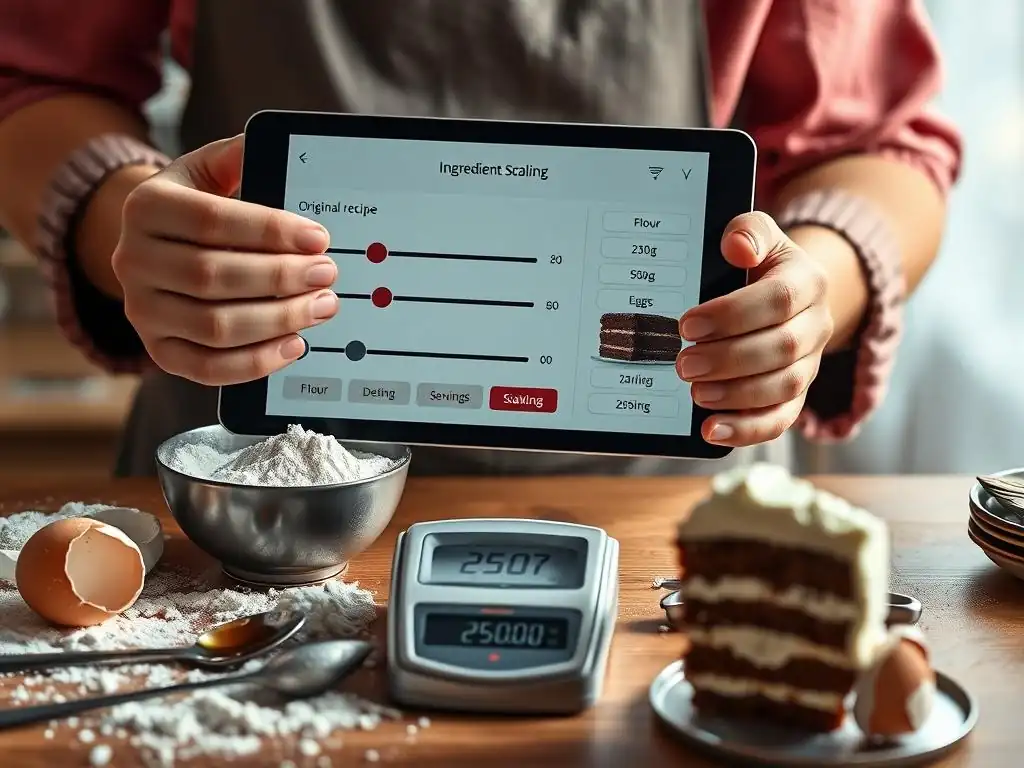
When selecting a baking ingredient scaling app, the user interface (UI) and overall ease of use are paramount. A clunky or confusing interface can quickly turn a helpful tool into a frustrating obstacle. Look for an app with a clean layout, intuitive navigation, and clear labeling of features. Entering recipes and specifying the desired scale factor should be straightforward. Can you easily find the scaling option? Is the scaled ingredient list presented in an easy-to-read format?
For example, some apps might allow you to tap on an ingredient to see alternative units (like grams instead of cups) after scaling, which is a bonus for precision. Others might require multiple steps just to input a recipe. Since you'll be using the app while potentially covered in flour, a simple, uncluttered design that works well on a phone or tablet screen is essential.
Consider trying the free version or a trial period (if available) to get a feel for the app's UI before committing to a paid subscription. A well-designed interface reduces the cognitive load, allowing you to focus on your baking, not wrestling with the app.
Supported Units and Conversions: Ensuring Recipe Compatibility
The best baking ingredient scaling apps should support a wide range of units commonly used in baking and ideally offer conversions between them. At a minimum, the app should handle standard volume measurements (teaspoons, tablespoons, cups, ounces fluid) and weight measurements (grams, ounces, pounds) in both imperial and metric systems. If your recipes come from diverse sources (e.g., American blogs using cups, British cookbooks using grams), the app's ability to handle these units accurately after scaling is crucial.
Some advanced apps go a step further by offering volume-to-weight conversions based on ingredient type. For instance, converting 1 cup of flour to grams is different from converting 1 cup of sugar. While not strictly part of scaling, having this conversion capability integrated can save time and improve accuracy, as measuring by weight is often considered more precise in baking. Before choosing an app, check which units it supports and whether it offers any cross-unit conversion features that are important for the types of recipes you typically use.
Recipe Management Features: Organizing Your Baking Creations
While your primary need might be ingredient scaling, consider how the app fits into your overall recipe workflow. Do you need a place to save recipes found online? Do you want to manually enter family recipes? Do you require organizational tools like folders or tags? Many baking ingredient scaling apps are part of larger recipe management systems.
Apps like Whisk, ChefTap, Copy Me That, and BigOven offer robust features for importing, saving, and organizing your digital recipe collection. This can be incredibly convenient, keeping your scaled recipes alongside the originals and your entire baking repertoire in one accessible location. If you already use a separate system for recipe organization or prefer physical cookbooks, then a simpler, dedicated scaling tool like Recipe Scaler might suffice. Assess your needs for recipe saving, importing, editing, and organization to determine if an integrated solution is a better fit than a standalone scaling utility.
Offline Access: Baking Without Internet
Internet connectivity in kitchens can sometimes be unreliable, especially if you're using a tablet or phone that relies on Wi-Fi. Consider whether you need to access your recipes and the scaling functionality even when you're offline. Some apps require a constant internet connection to load recipes or perform calculations, while others allow you to save recipes and access core features, including scaling, without being connected.
Apps like ChefTap, for example, are known for storing recipes offline once they are imported, which means you can browse your collection and scale ingredients even if your Wi-Fi signal is weak or non-existent. If you bake in locations without internet access, or if your home Wi-Fi is spotty, ensuring the app offers reliable offline access for your saved recipes and the scaling tool is a critical factor. Test this feature if possible during a trial period.
Customer Support and Updates: Ensuring Functionality
Finally, consider the reliability of the app and the support provided by its developers. Does the app receive regular updates to fix bugs, improve features, and ensure compatibility with new operating system versions? Is there a way to get help if you encounter an issue? Active development and responsive customer support are indicators of a well-maintained app that you can rely on in the long term.
Check reviews or the app's website for information about update frequency and available support channels (email, FAQ, community forum). While even the best apps can have occasional glitches, knowing that the developers are actively maintaining the app and are available to help if you run into problems provides peace of mind. A well-supported baking ingredient scaling app will continue to be a valuable tool for your baking endeavors for years to come.
Maximizing Your Baking with Ingredient Scaling Apps: Tips

Inputting Recipes Correctly for Accurate Scaling
The accuracy of any baking ingredient scaling app is only as good as the data you feed it. To ensure perfect scaling, it's crucial to input the original recipe accurately. Pay close attention to ingredient names, quantities, and units. Double-check that you've entered 1 3/4 cups correctly and not 1 1/4 cups, for instance. Ensure you select the correct unit from the app's options (e.g., tsp vs Tbsp, g vs oz).
If the recipe lists ingredients by weight (like grams for flour or butter), enter them that way, as weight measurements are generally more precise for scaling than volume. If the recipe provides both volume and weight, consider using the weight measurement if the app supports it, as this minimizes potential errors related to how you scoop or pack ingredients. Taking a few extra moments to verify the accuracy of your input will prevent errors down the line and ensure your scaled recipe is mathematically correct.
Understanding Proportions and Adjusting as Needed
While baking ingredient scaling apps handle the math, understanding the underlying proportions in your recipe can help you troubleshoot or make informed adjustments. Baking relies on ratios – the ratio of flour to liquid, sugar to fat, leavening to flour, etc. When you scale a recipe, these ratios should ideally remain constant.
However, sometimes minor adjustments might be needed, especially with leavening agents (baking soda, baking powder), spices, or intense flavorings (extracts) when scaling significantly up or down. For example, doubling baking powder might make a cake rise too quickly and collapse. While the app gives you the mathematically correct amount, trust your baking instincts and knowledge of the recipe.
If you're scaling a very large batch down to a tiny one, you might slightly reduce potent ingredients like salt or extracts to avoid overpowering flavors, or slightly increase leavening proportionally less than other ingredients. Use the app as a precise guide, but be aware that in rare cases, tiny tweaks based on experience might be beneficial, particularly when scaling recipes not originally designed for drastic changes in yield.
Utilizing Available Features to Optimize Baking
Don't just use your baking ingredient scaling app for scaling! Many of these apps offer additional features that can significantly optimize your entire baking process. If your app includes recipe saving, use it to build a digital library of your favorite and most frequently scaled recipes. This saves you from re-entering ingredients every time.
Leverage shopping list integration; once you've scaled a recipe, automatically adding the ingredients to a digital list that you can access on your phone at the grocery store is a huge convenience. Some apps even allow you to organize list items by aisle. If your app has meal planning, use it to schedule your baking projects alongside your meals.
Task lists within the app can be used to break down baking instructions into manageable steps or track prep work. Fully exploring and utilizing all the features offered by your chosen baking ingredient scaling app can streamline your workflow, reduce stress, and make baking more enjoyable and efficient.
Conclusion: Perfecting Baking with Ingredient Scaling Apps
The Future of Baking: Technology and Precision
The kitchen, like many aspects of our lives, is increasingly benefiting from technology. For bakers, this means moving beyond traditional handwritten notes and manual calculations towards digital tools that enhance precision and efficiency. Baking ingredient scaling apps represent a significant step in this evolution. They leverage the power of computing to handle the intricate math of recipe adjustment, a task prone to human error. As these apps continue to develop, we may see even more sophisticated features, such as AI-driven suggestions for ingredient substitutions based on scaling changes, or even integration with smart scales to confirm measurements in real-time.
The future of baking for home enthusiasts is likely to involve a seamless blend of traditional techniques and modern digital assistance. These tools aren't replacing the art and intuition of baking, but rather providing a foundation of accuracy and consistency that allows bakers to experiment and perfect their craft with greater confidence. Embracing technology like baking ingredient scaling apps is about equipping yourself with the best tools available to achieve consistently excellent results, transforming potential kitchen disasters into baking triumphs.
Elevate Your Baking with These Recommended Apps.
Whether you're a beginner attempting to halve your first batch of cookies or an experienced baker adapting complex pastry recipes, a reliable baking ingredient scaling app can be a game-changer. From dedicated scaling tools like Recipe Scaler to comprehensive recipe management platforms such as Whisk, ChefTap, Copy Me That, and BigOven, there's an app designed to fit your specific needs and workflow. Each offers unique strengths, whether it's effortless web importing, robust organization, integrated meal planning, or community features, all while providing the core functionality of accurate ingredient scaling.
By choosing the right app and integrating it into your baking routine, you can eliminate the frustration of manual calculations, save time, reduce food waste, and most importantly, achieve more consistent and delicious results every time you bake. Explore the options, consider your priorities – be it ease of use, comprehensive features, or offline access – and select the baking ingredient scaling app that will help you level up your baking success. Happy baking!
Frequently Asked Questions
What exactly are Baking Ingredient Scaling Apps?
These apps are digital tools designed to help bakers easily adjust recipe quantities. They automatically calculate the necessary amounts of ingredients when you want to increase or decrease a recipe's yield.
Why would I need a Baking Ingredient Scaling App?
Using these apps eliminates the tedious and error-prone process of manually calculating ingredient amounts, ensuring accurate results and consistent baked goods, regardless of the desired batch size.
How accurate are Baking Ingredient Scaling Apps?
Most apps are quite accurate, relying on mathematical formulas to proportionally adjust ingredients. However, always double-check results, especially when dealing with ingredients like yeast or baking powder, where even slight variations can impact the final product.
Are Baking Ingredient Scaling Apps suitable for all types of recipes?
While generally helpful, these apps work best with recipes where ingredient ratios are crucial, like cakes or cookies. More forgiving recipes, such as soups or stews, may require less precise scaling.
Are there any free Baking Ingredient Scaling Apps available?
Yes, many free apps offer basic ingredient scaling functionality. Premium versions often provide additional features like recipe storage, unit conversions, and advanced calculation options.
Final Reflection: The Power of Precision in Baking
The ability to effortlessly scale baking recipes is no longer a luxury; it's a necessity for both aspiring and experienced bakers. In a world of increasingly diverse dietary needs and a growing demand for customized culinary experiences, mastering ingredient scaling is key to unlocking culinary creativity and minimizing waste. This article explored the transformative power of apps designed specifically for this purpose, highlighting their efficiency and potential to elevate the baking process.
The impact of readily available scaling tools extends far beyond the kitchen. It represents a democratization of baking knowledge, empowering individuals to confidently experiment with recipes and adapt them to their specific needs. The best bakers are not those who follow recipes blindly, but those who understand the principles behind them and can adapt them to their own creative vision.
This quote speaks to the heart of what these apps enable: a deeper understanding of baking ratios and a greater freedom to explore one's culinary potential.
Consider the possibilities: Imagine effortlessly adjusting a cake recipe to feed a crowd, confidently halving a cookie recipe for a smaller batch, or seamlessly converting a recipe from cups to grams. You, the reader, now hold the key to unlocking this precision and efficiency. Embrace the power of these apps, experiment with different recipes, and discover the joy of baking with newfound confidence and control. Let the journey of culinary exploration begin!
Unlock Your Baking Potential: Scale Recipes Effortlessly!
Thanks for diving into the world of effortless recipe scaling! You've now got the tools to conquer any baking challenge, big or small. Ready to put your new skills to the test?
- Scale your favorite recipe: Grab that go-to recipe and use the techniques you just learned to effortlessly adjust the portions for a crowd, a smaller batch, or anything in between. This is your chance to shine!
- Explore our recipe library: Discover dozens of delicious recipes already optimized for easy scaling – no more tedious calculations!
- Share your scaling success! Tell us about your scaled-up baking masterpiece on social media using #BakeWithEaseScaling.
What incredible baking adventure will you embark on first?