
The Zero Function on Digital Scales: A Baker’s Secret to Efficiency

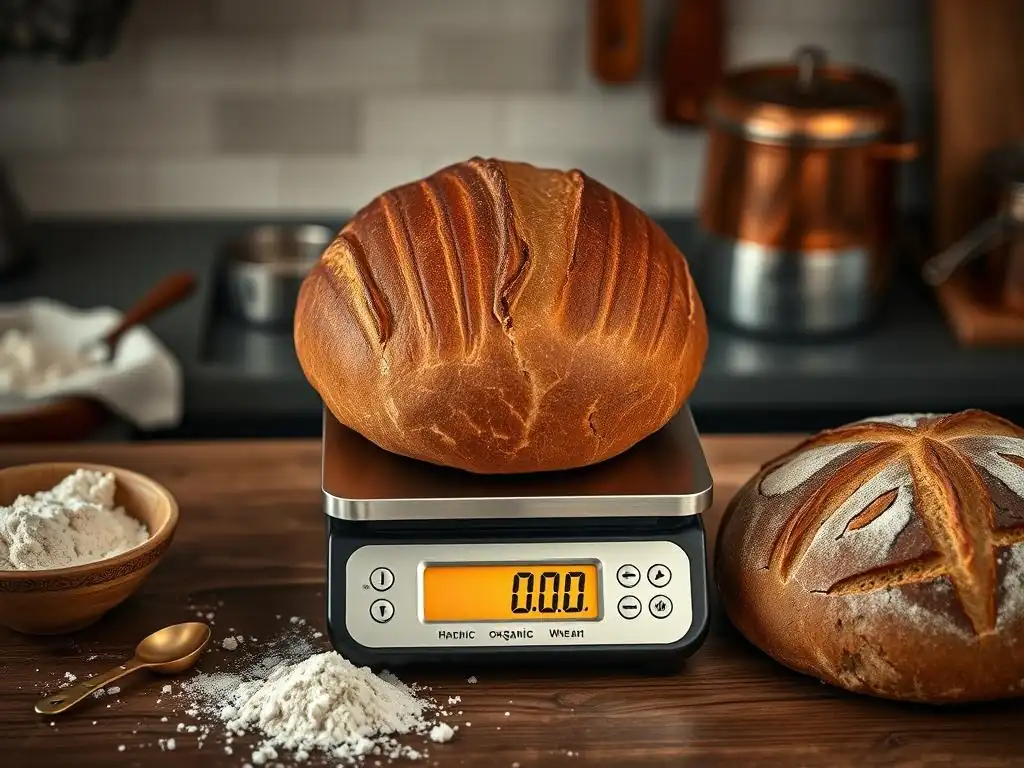
Welcome to BakeWithEase, your kitchen companion on the path to baking brilliance! Ever wondered how professional bakers achieve such consistent results? The answer might be simpler than you think. Dive into 'The Zero Function on Digital Scales: A Baker’s Secret to Efficiency' and discover how this often-overlooked feature can revolutionize your baking, especially when perfecting sourdough scale measurements. Read on to unlock precision and ease in every recipe, starting now!
- The Tare Function on Digital Scales: A Baker’s Key to Efficiency
- Introduction: Mastering Baking with Accurate Scale Measurements
- Why Precise Scale Measurements Matter for Baking Success
- Understanding the Tare Function on Digital Scales
- Step-by-Step Guide: Using the Tare Function for Baking
- Benefits of Utilizing the Tare Function in Your Baking
- Common Mistakes to Avoid When Using the Tare Function
- Advanced Techniques: Maximizing the Tare Function's Potential
- Digital Scale Recommendations for Accurate Baking
- Troubleshooting: Common Issues with Digital Scales and the Tare Function
- Conclusion: Baking with Ease Through Precise Scale Management
-
Frequently Asked Questions
- What is the "zero function" on a digital scale, and why is it so important for baking sourdough?
- How does using the zero function on a digital scale contribute to perfecting sourdough scale measurements?
- Can I bake sourdough successfully without using the zero function on a digital scale?
- Are there any specific types of ingredients where using the zero function is particularly important when baking sourdough?
- What are some common mistakes bakers make when using digital scales and the zero function for sourdough, and how can I avoid them?
- Final Reflection: The Enduring Power of Precision in Baking
- Unlock Your Baking Potential: Master the Zero Function!
The Tare Function on Digital Scales: A Baker’s Key to Efficiency
Introduction: Mastering Baking with Accurate Scale Measurements
Baking is often described as a science, and like any science, precision is paramount. Unlike cooking, where a pinch of this or a dash of that might work, baking relies on specific ratios and measurements to achieve the desired chemical reactions and structural results. Whether you're whipping up delicate macarons or working towards perfecting sourdough scale measurements, having the right tools and knowing how to use them is fundamental. A digital kitchen scale is an indispensable tool for any serious baker, offering a level of accuracy that volume measurements simply cannot match.
Understanding how to effectively use your digital scale, particularly its tare function, can dramatically improve your baking outcomes. The tare function is a simple yet powerful feature that unlocks greater efficiency and accuracy in your ingredient handling. It allows you to measure multiple ingredients sequentially in the same container, saving time and reducing cleanup. This guide will walk you through the importance of accurate weighing, how the tare function works, and how to leverage it for consistently excellent baking results, especially when you are perfecting sourdough scale measurements.
Why Precise Scale Measurements Matter for Baking Success
The Importance of Accurate Ingredient Ratios in Baking
Baking relies on precise ratios between ingredients like flour, sugar, fat, and leavening agents. Even small deviations can significantly alter the final product's texture, rise, and flavor. For instance, in bread making, the hydration percentage (water weight relative to flour weight) is critical. A typical lean dough might have a hydration of 60-65%, meaning for every 1000 grams of flour, you'd use 600-650 grams of water.
If you accidentally add 700 grams of water due to inaccurate measurement, the dough will be much wetter, potentially leading to a flatter loaf with a less developed structure. Conversely, too little water results in a dry, dense crumb. This precision is particularly vital when perfecting sourdough scale measurements, where starter activity and hydration play a huge role in the final crumb and crust.
Consider also the impact of leavening agents like yeast or baking powder. A recipe might call for just a few grams of instant yeast for a large loaf of bread, say 5 grams for 500 grams of flour. Using even one or two grams too much can cause the dough to over-proof rapidly, leading to collapse, while too little might result in a dense, unleavened loaf.
Scales capable of measuring to 0.1-gram increments are invaluable for these small but potent ingredients. Using a scale ensures that these critical ratios are hit consistently, batch after batch, paving the way for reliable and successful baking.
The Impact of Inaccurate Measurements on Baking Quality
Inaccurate measurements don't just affect leavening; they impact every aspect of the bake. Too much flour, measured by volume (like scooping from a bag), can easily result in 20-30% more flour by weight than intended, leading to dry cakes, tough cookies, or heavy bread. Similarly, inaccurate sugar measurements can throw off sweetness, moisture, and browning. For instance, in a standard cookie recipe, sugar contributes not just sweetness but also spread and tenderness. Using too little sugar can result in thick, pale cookies that don't spread properly, while too much can cause excessive spread and a gritty texture.
Fats, like butter or oil, also play a crucial role in texture and flavor. Measuring butter by volume (e.g., using stick markings) can be less precise than weighing, especially if the butter is softened or melted. A recipe calling for 227 grams (one cup) of cold butter needs that specific amount for structure.
Using less can make baked goods dry and crumbly, while using more can make them greasy and dense. Relying on accurate scale measurements eliminates these common pitfalls, ensuring your baked goods have the intended texture, flavor, and appearance, making the process of perfecting sourdough scale measurements or any other bake much more reliable.
Understanding the Tare Function on Digital Scales
What is the Tare Function and How Does It Work?
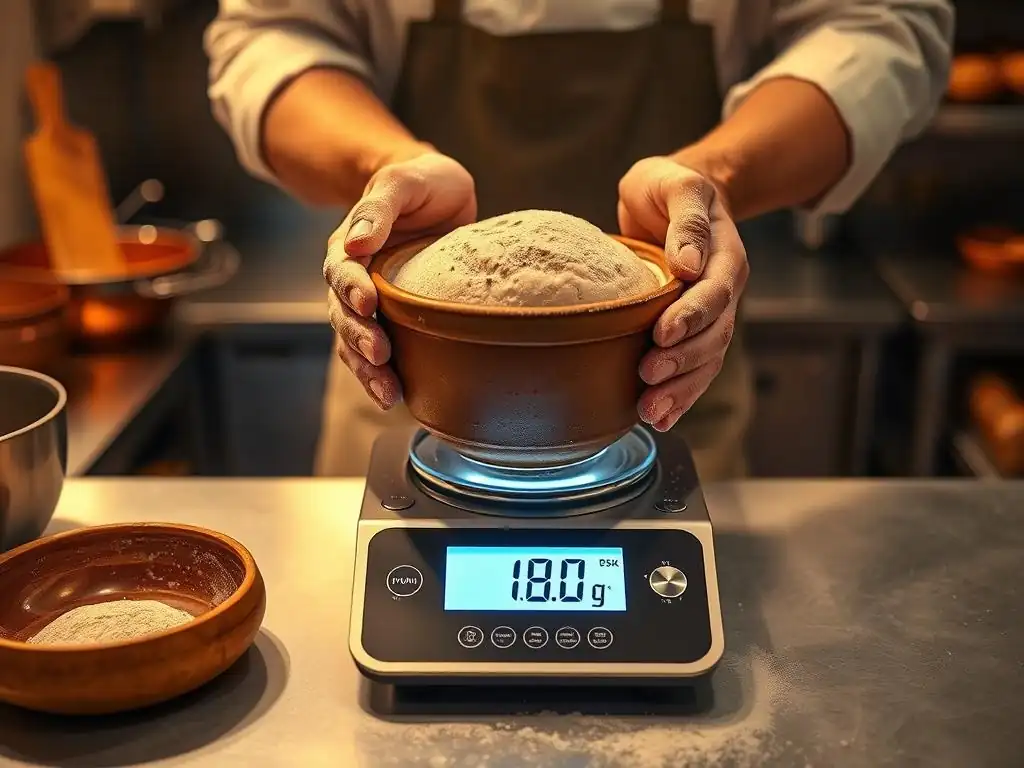
The tare function, often labeled as "Tare," "Zero," or "Z/T" on a digital scale, is a feature that resets the scale's display to zero while an item is still on the weighing platform. Its primary purpose is to allow you to measure the weight of an ingredient without including the weight of the container holding it. When you place a bowl or plate on the scale, it registers the weight of that empty container.
Pressing the tare button tells the scale to disregard that weight and show "0.0" grams (or ounces). You can then add your ingredient to the container, and the scale will display only the weight of the ingredient you've added.
This function is incredibly useful in baking because recipes often call for ingredients to be weighed directly into a mixing bowl or the bowl of a stand mixer. Instead of weighing ingredients individually on a small plate and then transferring them (and potentially losing some in the process), you can simply place your large mixing bowl on the scale, press tare, and add your flour. Then, press tare again, add your sugar, tare again, and add your butter, all into the same bowl. This streamlines the weighing process and minimizes cleanup.
The Difference Between Taring and Calibrating Your Baking Scale
While both taring and calibrating involve the scale's zero point, they serve different purposes. Taring resets the zero point temporarily to exclude the weight of a container currently on the scale. It's something you'll do every time you use a container to weigh ingredients.
Calibration, on the other hand, is a process that ensures the scale is measuring weight accurately against known standards. It involves using specific calibration weights (often included with higher-end scales or purchased separately) to adjust the scale's internal settings so that, for example, it correctly registers 100 grams when a certified 100-gram weight is placed on it.
Calibration corrects potential drifts in the scale's sensors over time or due to environmental factors. Think of taring as zeroing out your car's trip meter before a journey, while calibration is like getting your car's speedometer checked and adjusted to ensure it's showing the correct speed.
Most home digital scales come pre-calibrated and may only need recalibration if they are dropped, exposed to extreme temperatures, or if you suspect they are giving inaccurate readings. The tare function, however, is a routine operational tool used during almost every weighing session in baking, essential for tasks like perfecting sourdough scale measurements in a single bowl.
Step-by-Step Guide: Using the Tare Function for Baking
Step 1: Placing Your Container on the Digital Scale
Begin by placing your empty mixing bowl or container directly onto the center of the digital scale's weighing platform. Ensure the scale is on a flat, stable surface to prevent wobbly readings. The scale will display the weight of the container. For instance, a standard glass mixing bowl might weigh anywhere from 300 grams to over 1000 grams, depending on its size and material. The scale will show this weight on its display.
It's important to use the container you plan to mix in, or one that's large enough to hold the ingredient you're about to measure. Using a container that's too small could lead to spills later. Also, make sure the container isn't touching anything else on the counter; it should only be supported by the scale platform.
Step 2: Taring the Scale with the Container in Place
Once the empty container is stable on the scale and its weight is displayed, locate the "Tare," "Zero," or "Z/T" button on your scale. Press this button. The scale's display should immediately reset to "0.0" grams (or ounces, depending on your selected unit). The scale has now effectively 'subtracted' the weight of the container.
You are now ready to add your first ingredient. The scale is ready to measure only the weight of whatever you add into the container. This step is crucial; forgetting to tare means the weight of the container will be included in your ingredient measurement, leading to inaccuracies. Many bakers make this mistake early on, adding 500g of flour only to realize the total weight is the container's weight plus the flour's, ruining the intended ratio for perfecting sourdough scale measurements or any recipe.
Step 3: Adding Ingredients and Measuring Accurately
With the display showing "0.0," carefully add your first ingredient into the container. Pour flour directly from the bag, spoon in sugar, or add liquid. Watch the scale display as you add the ingredient. It will show the weight of the ingredient being added in real-time. Continue adding until the display reaches the desired weight specified in your recipe. For example, if the recipe calls for 300 grams of flour, add flour until the scale reads 300.0 grams.
For dry ingredients like flour, it's often best to spoon it into the container rather than scooping with the container itself, as this can compact the flour and lead to over-measurement even by weight (though weighing is still far superior to volume). For liquids, pour carefully. If you overshoot slightly, it's often easier to remove a small amount than to try and be perfectly exact on the first pour. Aim for precision, especially with critical ingredients like yeast, salt, or small amounts of spice, which might require a scale accurate to 0.1g.
Step 4: Taring Again for Multiple Ingredients
This is where the true efficiency of the tare function shines. After adding your first ingredient and reaching the target weight (e.g., 300g flour), do not remove the container. Instead, press the "Tare" button again. The scale display will reset to "0.0" grams once more. The scale is now ready to measure the next ingredient you add, independently of the flour already in the bowl and the bowl itself.
Now, add your second ingredient (e.g., 100 grams of sugar) into the same bowl until the display reads 100.0 grams. You can repeat this process for every subsequent ingredient in the recipe (salt, baking powder, cocoa powder, etc. ), adding each on top of the previous ones and taring the scale before adding the next. This allows you to build your entire dry or wet ingredient mix in a single bowl, making tasks like perfecting sourdough scale measurements with multiple types of flour or additions incredibly simple and mess-free.
Benefits of Utilizing the Tare Function in Your Baking
Saving Time and Reducing Mess in the Kitchen
One of the most immediate benefits of using the tare function is the significant reduction in cleanup. Instead of using multiple measuring cups, spoons, and potentially small bowls to portion out each ingredient separately, you can measure everything directly into your main mixing bowl.
This means fewer items to wash afterwards, saving precious time and effort in the kitchen. Imagine making cookies that require flour, sugar, brown sugar, baking soda, salt, and chocolate chips – using the tare function allows you to add all these dry ingredients sequentially into one bowl, rather than dirtying five or six different measuring tools.
Beyond cleanup, it also speeds up the weighing process itself. There's no need to transfer ingredients from a measuring cup or small dish to your mixing bowl, potentially spilling some along the way. You simply add directly to the bowl on the scale, tare, and move on to the next ingredient.
This streamlined workflow makes baking more efficient and enjoyable, allowing you to get to the fun part – mixing and baking – faster. This efficiency is particularly appreciated when you're doing bulk baking or complex recipes requiring many weighed components, essential for those perfecting sourdough scale measurements for multiple loaves.
Ensuring Consistent and Repeatable Baking Results
Consistency is key to great baking. When you find a recipe you love, you want to be able to replicate it perfectly every time. Using the tare function alongside accurate scale measurements is the most reliable way to achieve this repeatability. Because you are measuring ingredients by weight, which is inherently more consistent than volume (a cup of flour can vary in weight by 20% or more depending on how it's scooped and packed), you eliminate a major variable.
By accurately weighing each ingredient using the tare function, you ensure that the ratios in your dough or batter are exactly as the recipe intended, batch after batch. This means your favorite chocolate chip cookie recipe will yield cookies with the same spread and chewiness every time, or your perfected sourdough scale measurements for a rustic loaf will produce a consistent open crumb structure.
This consistency allows you to confidently bake for friends and family, knowing they'll get the same delicious result they enjoyed before, and makes troubleshooting much easier as you've eliminated measurement error as a potential cause of failure.
Improving Accuracy When Measuring Small Amounts of Ingredients
While large amounts of flour or sugar benefit from weighing, the tare function is particularly valuable when dealing with small quantities of potent ingredients like yeast, baking powder, baking soda, salt, or spices. Many standard kitchen scales are accurate to the nearest gram. For ingredients measured in larger amounts (like 500g flour), a 1-gram variance is negligible (0.2%). However, for an ingredient like yeast where you might only need 3 grams, a 1-gram variance is significant (33%).
Some digital scales offer precision to 0.1 grams, and the tare function is essential for utilizing this precision. You can place a small dish on the scale, tare it to zero, and then carefully add just 3.0 grams of yeast. Trying to accurately measure 3 grams by volume is virtually impossible.
This level of accuracy is crucial for delicate recipes, specific dietary requirements (like low-sodium baking), or when working with sensitive starters for perfecting sourdough scale measurements, where even a tiny amount of salt can impact fermentation. The tare function allows you to use small containers or spoons to measure these tiny amounts accurately, without the container's weight interfering.
Common Mistakes to Avoid When Using the Tare Function
Overloading the Scale and Affecting Accuracy
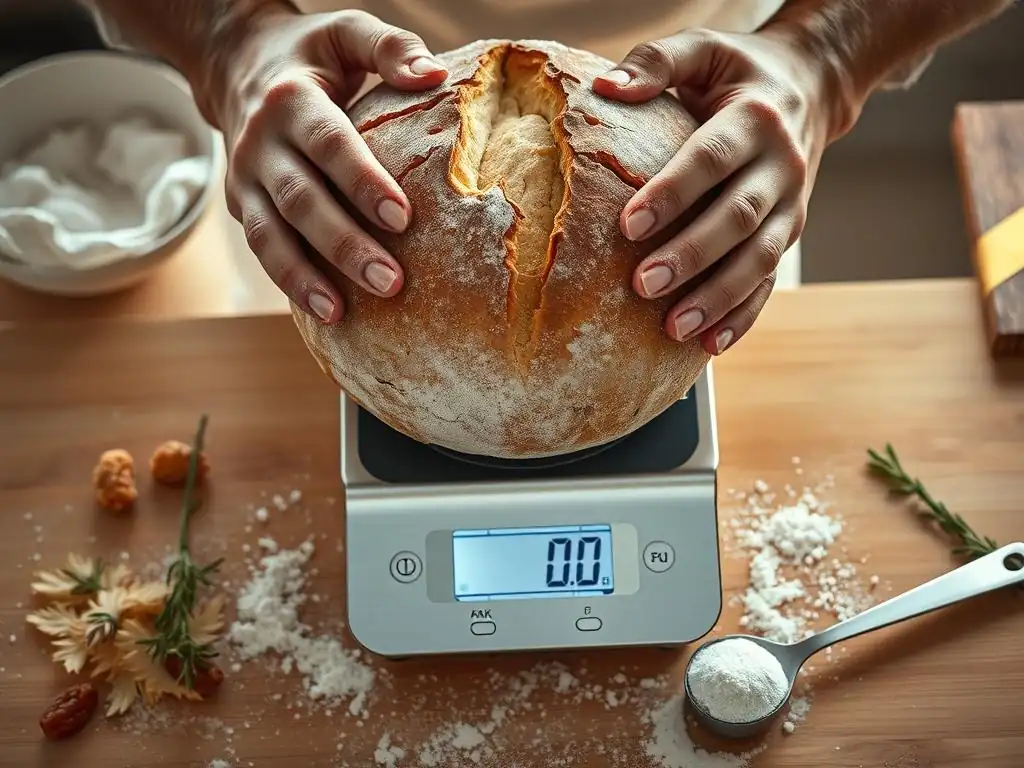
Every digital scale has a maximum weight capacity, often clearly marked on the device or in the manual (e.g., 5000g or 11 lbs). It's a common mistake to exceed this limit, especially when using a large mixing bowl and adding multiple heavy ingredients. Overloading a scale can lead to inaccurate readings and, in some cases, can permanently damage the scale's internal sensors. For instance, if your scale has a 5kg limit and your mixing bowl weighs 1kg, you can only add up to 4kg of ingredients using the tare function before hitting the limit.
Always be aware of your scale's maximum capacity and the cumulative weight of the ingredients you are adding. If you have a very large recipe that exceeds your scale's capacity even with taring, you may need to split the ingredients and weigh them in batches, or use a scale with a higher weight limit. Respecting the scale's capacity ensures its longevity and continued accuracy, which is vital for consistently perfecting sourdough scale measurements or any large batch bake.
Forgetting to Tare the Scale Before Adding Ingredients
Perhaps the most common mistake when using a digital scale for baking is simply forgetting to press the tare button after placing the container on the platform or after adding a previous ingredient. If you place your 500-gram bowl on the scale and then add 300 grams of flour without taring, the scale will read 800 grams. If you then proceed to the next ingredient, expecting the scale to start from zero, you will be adding the weight of the new ingredient to the accumulated weight of the bowl and previous ingredients.
This oversight completely defeats the purpose of the tare function and leads to significant measurement errors. A recipe calling for 500g flour and 300g water for perfecting sourdough scale measurements would be ruined if you added 500g total weight (bowl + flour) and then added 300g total weight (flour + water + bowl?). Always double-check that the display reads "0.0" after placing your container and after adding each ingredient before moving on to the next. Making this a habit ensures accuracy throughout your recipe.
Using Unstable Surfaces That Impact Scale Readings
Digital scales rely on sensitive sensors to measure weight accurately. Placing your scale on an unstable or uneven surface can cause the readings to fluctuate wildly or be consistently inaccurate. A wobbly table, a soft tablecloth, or even a cutting board that isn't perfectly flat can interfere with the scale's ability to get a stable reading. Imagine trying to measure 5 grams of yeast on a scale that keeps flickering between 4.8g and 5.3g because the surface is uneven – it becomes impossible to be precise.
Always use your digital scale on a solid, flat, and stable countertop or table. Avoid placing it near vibrating appliances like a running stand mixer or washing machine, as vibrations can also affect the sensors. Ensure the scale's feet are clean and making full contact with the surface. A stable base is fundamental for the scale to perform its job correctly and provide the accurate measurements needed for successful baking, including the delicate balance required when perfecting sourdough scale measurements.
Advanced Techniques: Maximizing the Tare Function's Potential
Taring Multiple Times for Complex Recipes
Complex baking recipes, like multi-layered cakes, elaborate pastries, or enriched sourdough loaves, often involve combining many different ingredients in specific sequences. The tare function is invaluable here. You can measure all your dry ingredients (flour, sugar, baking powder, salt, spices) sequentially into one bowl, taring after each addition. Then, in a separate bowl, you might measure your wet ingredients (milk, oil, extracts), also taring between additions if necessary (e.g., measuring milk, taring, then adding vanilla extract).
For recipes like croissants or brioche, which might involve a main dough, an enrichment mix, and perhaps a filling or topping, the tare function allows you to prepare each component accurately and efficiently. You can measure the main dough ingredients, then clean and tare the bowl for the enrichment ingredients, ensuring each part of the recipe is precisely scaled. This multi-stage taring process simplifies complex workflows and ensures that every component of your intricate bake is measured correctly, contributing to the overall success of the final product.
Using the Tare Function with Different Types of Containers
The tare function works with any container, allowing flexibility in your workflow. While mixing bowls are common, you might also use smaller containers for precise measurements. For instance, when measuring a tiny amount of active dry yeast (perhaps 2-3 grams) for perfecting sourdough scale measurements, placing a large mixing bowl on a standard scale might be difficult to read precisely due to its size and the scale's potential 1g increment. Instead, you can place a small ramekin or even a large spoon on the scale, tare it, and then add the yeast carefully until the correct weight is reached.
Similarly, when measuring sticky ingredients like honey or molasses, you can place your container, tare it, measure the sticky ingredient, and then, using the tare function again, add a small amount of oil or water into the same container to help pour out the sticky ingredient without losing any weight. The scale will show the weight of the liquid added, but you can simply disregard that reading once the sticky ingredient has been successfully transferred, knowing its initial weight was correct. This adaptability makes the tare function useful for a wide range of ingredients and techniques.
Example Recipe: Multi-Stage Addition Scones
Let's illustrate the tare function with a simple scone recipe requiring multi-stage addition.
Ingredients:
- 250g All-Purpose Flour
- 50g Granulated Sugar
- 10g Baking Powder
- 2g Salt
- 50g Cold Unsalted Butter, cubed
- 150g Cold Milk
- 5g Vanilla Extract
Steps using Tare Function:
- Place a large mixing bowl on your digital scale. Note its weight (e.g., 500g).
- Press Tare. Display shows
0.0g. - Add All-Purpose Flour until display reads
250.0g. - Press Tare. Display shows
0.0g. - Add Granulated Sugar until display reads
50.0g. - Press Tare. Display shows
0.0g. - Add Baking Powder until display reads
10.0g. - Press Tare. Display shows
0.0g. - Add Salt until display reads
2.0g. - Remove bowl briefly. Cut in cold butter. Return bowl to scale.
- In a separate small jug, place it on the scale. Note its weight (e.g., 100g).
- Press Tare. Display shows
0.0g. - Add Cold Milk until display reads
150.0g. - Press Tare. Display shows
0.0g. - Add Vanilla Extract until display reads
5.0g. - Combine wet ingredients with dry ingredients as per recipe instructions.
This example shows how you can measure all dry ingredients sequentially in one bowl, then measure wet ingredients in another container, all using the tare function, ensuring accurate weights for each component without needing multiple measuring tools.
Digital Scale Recommendations for Accurate Baking
Features to Look for in a Baking Scale
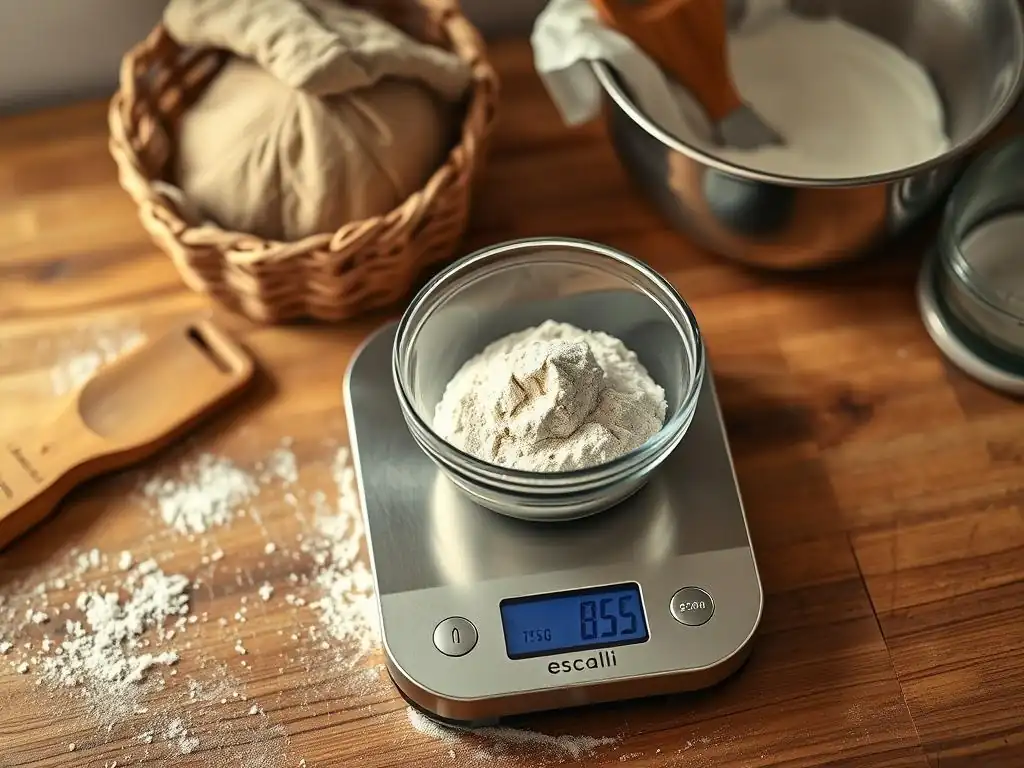
When choosing a digital scale for baking, several features are particularly beneficial. Firstly, capacity is important. A scale with a capacity of at least 5 kg (around 11 lbs) is usually sufficient for home baking, allowing you to weigh most large batches of dough or batter, including ingredients for perfecting sourdough scale measurements in bulk. Secondly, accuracy is key. Look for a scale that measures in small increments, preferably 1 gram or even 0.1 grams for weighing very small quantities of yeast, salt, or spices accurately. Many good kitchen scales offer 1-gram increments, while more precise scales offer 0.1-gram.
A large, easy-to-read display is also crucial, ideally backlit, so you can see the measurements clearly even in varying kitchen light conditions. The platform size should be large enough to comfortably accommodate your largest mixing bowls without obscuring the display. Some scales have pull-out displays for this reason. Unit options (grams, ounces, pounds, milliliters) are standard, but ensure it includes grams, as most professional and many online recipes use metric weights. Finally, consider durability and ease of cleaning – a scale with a smooth, wipeable surface and perhaps a removable platform is easier to maintain.
Recommended Scale Models and Their Advantages
While I cannot list specific brand names or models, let's discuss types of scales fitting different needs. A standard kitchen scale (often flat platform type) with a 5-10 kg capacity and 1g increments is excellent for general baking, perfect for weighing flour, sugar, and liquids for most recipes. These are typically affordable and widely available. Their large platform is great for big bowls, essential when perfecting sourdough scale measurements for multiple loaves.
For bakers who require extreme precision, especially for small amounts or delicate recipes, a precision scale (often looks more like a lab scale, sometimes with a cover) might be beneficial. These typically have lower maximum capacities (e.g., 500g or 1000g) but offer accuracy down to 0.1g or even 0.01g. They are ideal for weighing tiny amounts of yeast, leavening, spices, or critical components in small test batches or highly sensitive recipes.
Some bakers even use a combination: a larger capacity kitchen scale for bulk ingredients and a smaller precision scale for the critical few grams of yeast or salt. Look for models that are specifically marketed towards kitchen use for durability and ease of cleaning.
Troubleshooting: Common Issues with Digital Scales and the Tare Function
Scale Not Taring Properly: Potential Causes and Solutions
If your digital scale isn't taring correctly, several issues could be at play.
- Weight Exceeding Tare Limit: Some scales have a limit on how much weight can be tared (usually close to the maximum capacity). If your container is excessively heavy, the scale might not be able to zero it out. Try a lighter container.
- Unstable Surface: As mentioned earlier, an uneven or wobbly surface can prevent the scale from finding a stable zero point. Move the scale to a solid, flat counter.
- Debris Under or Around Platform: Food particles or other debris stuck under the weighing platform or around the edges can interfere with the sensors. Lift the platform (if removable) or gently check around the edges for obstructions and clean them away.
- Tare Button Malfunction: The button itself might be stuck or damaged. Ensure it clicks properly when pressed.
- Sensor Issues: If none of the above work, the scale's internal sensors might be damaged, possibly from being dropped or overloaded previously. In this case, the scale may need repair or replacement.
Display Issues and Error Messages: What They Mean
Digital scale displays can sometimes show confusing messages instead of weight.
- "LO" or Battery Icon: This indicates low battery power. Digital scales require sufficient power for accurate readings and the tare function to work. Replace the batteries immediately. Using a scale with low batteries can lead to inconsistent and inaccurate measurements, hindering efforts in perfecting sourdough scale measurements.
- "O/L" or "Err": This usually means "Overload." You have placed more weight on the scale than its maximum capacity. Remove the excess weight immediately to avoid damaging the scale.
- Unstable/Fluctuating Reading: This often points to an unstable surface, vibrations, or occasionally, internal sensor issues. Ensure the scale is on a solid, still surface.
- No Display: Check if the scale is turned on and if the batteries are correctly inserted and charged.
Consult your scale's user manual for specific error codes, as they can vary by model.
Battery Problems and Their Impact on Scale Accuracy
Battery issues are a frequent cause of problems with digital scales. Low battery power can lead to:
- Inaccurate Readings: The scale might under- or over-report weight as it struggles to power its sensors and display.
- Failure to Tare: The tare function requires a certain amount of power to perform the calculation of zeroing out the container weight. Low batteries might prevent this function from working correctly or at all.
- Flickering Display: An unstable power supply from low batteries can cause the display to flash, dim, or show inconsistent numbers.
- Scale Turning Off Unexpectedly: The scale might power off mid-measurement if batteries are too low.
Always replace batteries promptly when the low battery indicator appears. Use the type of batteries recommended by the manufacturer (e.g., AAA, button cell). For scales used frequently, consider using rechargeable batteries or keeping spares on hand. Reliable power is fundamental for consistent and accurate measurements, especially when the precision needed for perfecting sourdough scale measurements is critical.
Conclusion: Baking with Ease Through Precise Scale Management
Embracing the Tare Function for Better Baking Results
Mastering the tare function on your digital scale is a game-changer for any baker, from novice to expert. It simplifies the weighing process, drastically cuts down on cleanup, and, most importantly, ensures unparalleled accuracy and consistency in your ingredient measurements. By taring your scale with the container in place and between adding subsequent ingredients, you guarantee that the ratios in your recipes are spot-on, leading to more reliable and delicious outcomes every time you bake. This precision is particularly beneficial for sensitive recipes like those involved in perfecting sourdough scale measurements, where hydration and ingredient percentages are paramount.
Moving away from volume measurements to using a scale with the tare function is one of the most impactful steps you can take to elevate your baking. It transforms the often-tedious task of measuring into a quick, clean, and accurate process. Embrace this simple feature, and you'll find your baking becomes more predictable, less stressful, and ultimately, more successful.
Tips for Maintaining Your Digital Scale for Longevity
To ensure your digital scale remains a reliable tool for years to come and continues to provide the accuracy needed for perfecting sourdough scale measurements, follow these simple maintenance tips:
- Keep it Clean: Wipe down the platform and body regularly with a damp cloth (not wet) immediately after use to remove any flour, sugar, or liquid spills. Avoid using harsh chemicals or abrasive cleaners.
- Store Properly: Store the scale in a cool, dry place away from extreme temperatures and humidity. Avoid storing heavy items on top of it, as this can stress the sensors.
- Handle with Care: Avoid dropping the scale, as this is a primary cause of damage to the internal mechanisms and sensors.
- Replace Batteries: Change batteries as soon as the low battery indicator appears. If storing the scale for a long period, it's a good idea to remove the batteries to prevent corrosion.
- Use on Stable Surfaces: Always use the scale on a flat, stable surface to avoid inaccurate readings and potential stress on the weighing mechanism.
- Check Calibration (if applicable): If your scale is a model that can be calibrated, check your manual for recommended frequency (usually not needed often for home scales) and procedure, or if you suspect accuracy issues.
By incorporating the tare function into your baking routine and properly maintaining your digital scale, you equip yourself with the precision tools needed to achieve consistent, high-quality results and truly bake with ease.
Frequently Asked Questions
What is the "zero function" on a digital scale, and why is it so important for baking sourdough?
The "zero function," also known as the tare function, resets the scale to zero, allowing you to measure ingredients precisely in the same container. This is crucial for sourdough, where accurate ratios are essential for successful fermentation.
How does using the zero function on a digital scale contribute to perfecting sourdough scale measurements?
By zeroing the scale after adding each ingredient, you eliminate cumulative errors. This ensures you're adding the exact weight of each component, which is vital for predictable sourdough results.
Can I bake sourdough successfully without using the zero function on a digital scale?
While possible, it's significantly harder to achieve consistent results. You'd need to calculate and subtract weights manually, which increases the risk of errors and ultimately impacts the quality of your sourdough.
Are there any specific types of ingredients where using the zero function is particularly important when baking sourdough?
Yes, particularly for small quantities of ingredients like salt or yeast. Even slight variations in these amounts can significantly impact the fermentation process and final taste of your sourdough.
What are some common mistakes bakers make when using digital scales and the zero function for sourdough, and how can I avoid them?
A common mistake is forgetting to zero the scale before adding an ingredient. Always ensure the scale reads "0" before adding anything to the container to guarantee accurate measurements for your sourdough.
Final Reflection: The Enduring Power of Precision in Baking
The pursuit of the perfect sourdough loaf hinges on precision, and the often-overlooked zero function on your digital scale is the key that unlocks consistent, repeatable results. Mastering this seemingly simple tool isn't just about efficiency; it's about elevating your baking from a hopeful endeavor to a confident craft. The seemingly small act of zeroing your scale between additions dramatically impacts the final product, ensuring accuracy in every gram of flour, water, and leaven.
The impact of precise measurement extends far beyond the immediate satisfaction of a perfectly risen loaf. It speaks to a deeper appreciation for the delicate balance inherent in sourdough baking, a process deeply intertwined with the natural world. Baking is a science, but it's also an art. The science provides the framework, but the art lies in the understanding and the feel.
This quote perfectly encapsulates the journey from precise measurement to the creative expression found in crafting sourdough. The zero function, a seemingly small detail, becomes a symbol of this balance, bridging the gap between scientific accuracy and artistic intuition.
Consider, for a moment, the impact of consistent measurements on your baking journey. Imagine the confidence you'll gain, the frustration you'll avoid, and the delicious, consistently perfect loaves you'll produce. You hold the power to transform your baking experience, one precise measurement at a time. Embrace the zero function, embrace the precision, and embrace the joy of consistently perfect sourdough. Start today, and experience the transformative power of accuracy in your baking.
Unlock Your Baking Potential: Master the Zero Function!
Thanks for diving into the world of efficient baking with us! We hope you now appreciate the power of the zero function on your digital scale. Ready to take your baking to the next level? Here's how:
- Master the Tare Function Today: Practice using the zero function to quickly and accurately measure multiple ingredients. This single change will drastically speed up your baking workflow.
- Share Your Success: Tell us about your experience mastering the zero function! Share your baking wins and tips on our BakeWithEase community forum.
- Experiment with New Recipes: Now that you've got precision weighing down, try out that challenging recipe you've been eyeing!
What's the first recipe you're going to tackle with your newfound precision weighing skills?